SEO title: Braille Pattern Blank (U+2800): Copy & Uses
Meta description: Learn what Braille Pattern Blank (U+2800) is, how to copy and paste it, where it works, and how it differs from Hangul Filler and Zero Width Space.
Suggested URL: https://blankytext.com/blog/articles/braille-pattern-blank.html
Primary keyword: braille pattern blank
Indexing status: noindex, follow (retain until approved)
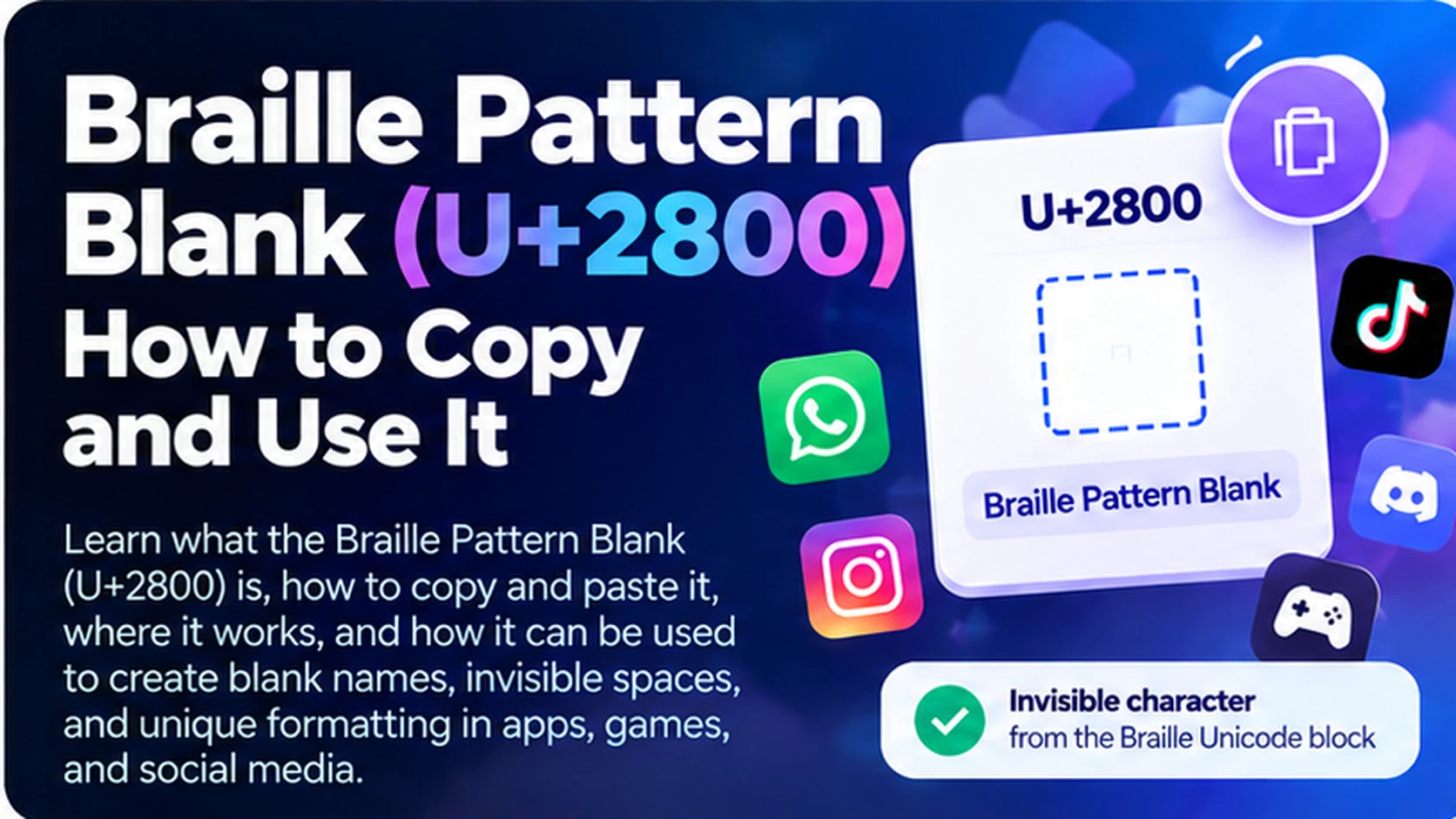
Braille Pattern Blank (U+2800) is a Unicode character that often looks like empty space. Unlike a regular space typed with your keyboard, it belongs to the Braille Patterns block and represents a Braille cell with no raised dots. People sometimes copy and paste it to create blank-looking lines, format text, or test how apps handle unusual Unicode characters.
If you want to try it yourself, visit the free BlankyText invisible text tool and select the Braille Pattern Blank character. This guide explains what U+2800 actually is, how to use it, and why it does not work the same way in every app.
What Is Braille Pattern Blank (U+2800)?
The Unicode name of U+2800 is BRAILLE PATTERN BLANK. It is the first character in the Braille Patterns block (U+2800–U+28FF), which encodes patterns of raised dots used in Braille cells. U+2800 represents the cell with no dots raised.
Although it may look like whitespace, U+2800 is not the ordinary space character (U+0020). It has its own Unicode code point and can occupy visible width in some fonts. Depending on the application, you might see a blank area, a placeholder box, or a character that is rejected altogether.
Copyable character: ⠀ (the character between the backticks is U+2800).
How to Copy and Paste Braille Pattern Blank
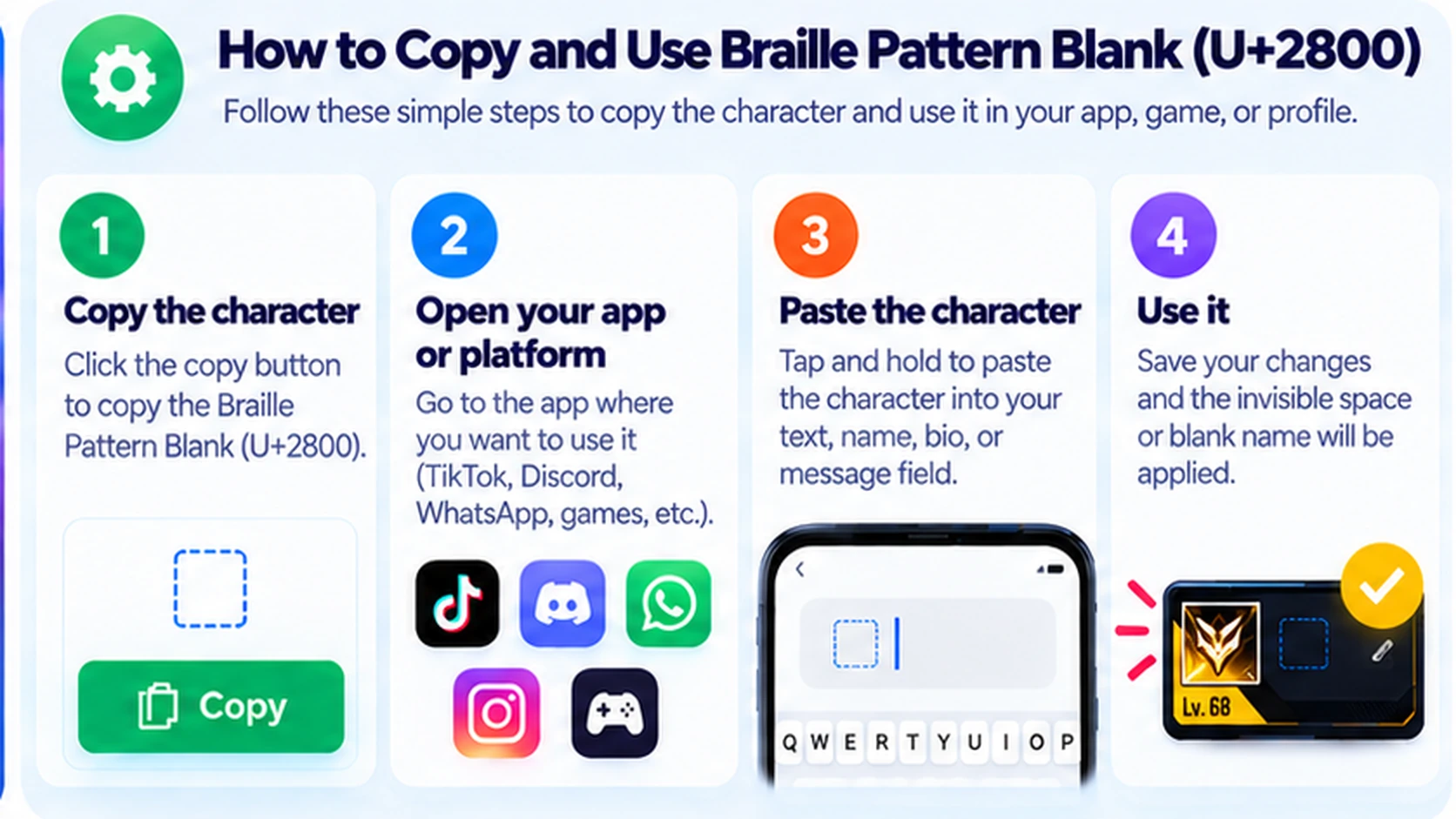
Step 1: Open the Invisible Text Tool
Go to BlankyText, where you can copy blank-looking Unicode characters without typing a code point manually.
Step 2: Select U+2800
Choose Braille Pattern Blank (U+2800), if available in the character options. Do not confuse it with a regular keyboard space or with Zero Width Space (U+200B).
Step 3: Copy the Character
Use the copy control. You can also copy the U+2800 character shown in this article. Because it looks empty, avoid accidentally selecting surrounding punctuation or text.
Step 4: Paste and Test
Paste it into a text editor, message field, or bio where Unicode input is allowed. Check the result before saving or sending: the app might preserve it, remove it, or display a visible symbol.
Tip: If you are trying to create a blank line, test the result in the final app rather than assuming the appearance in your browser will be identical.
Braille Pattern Blank vs. Hangul Filler vs. Zero Width Space
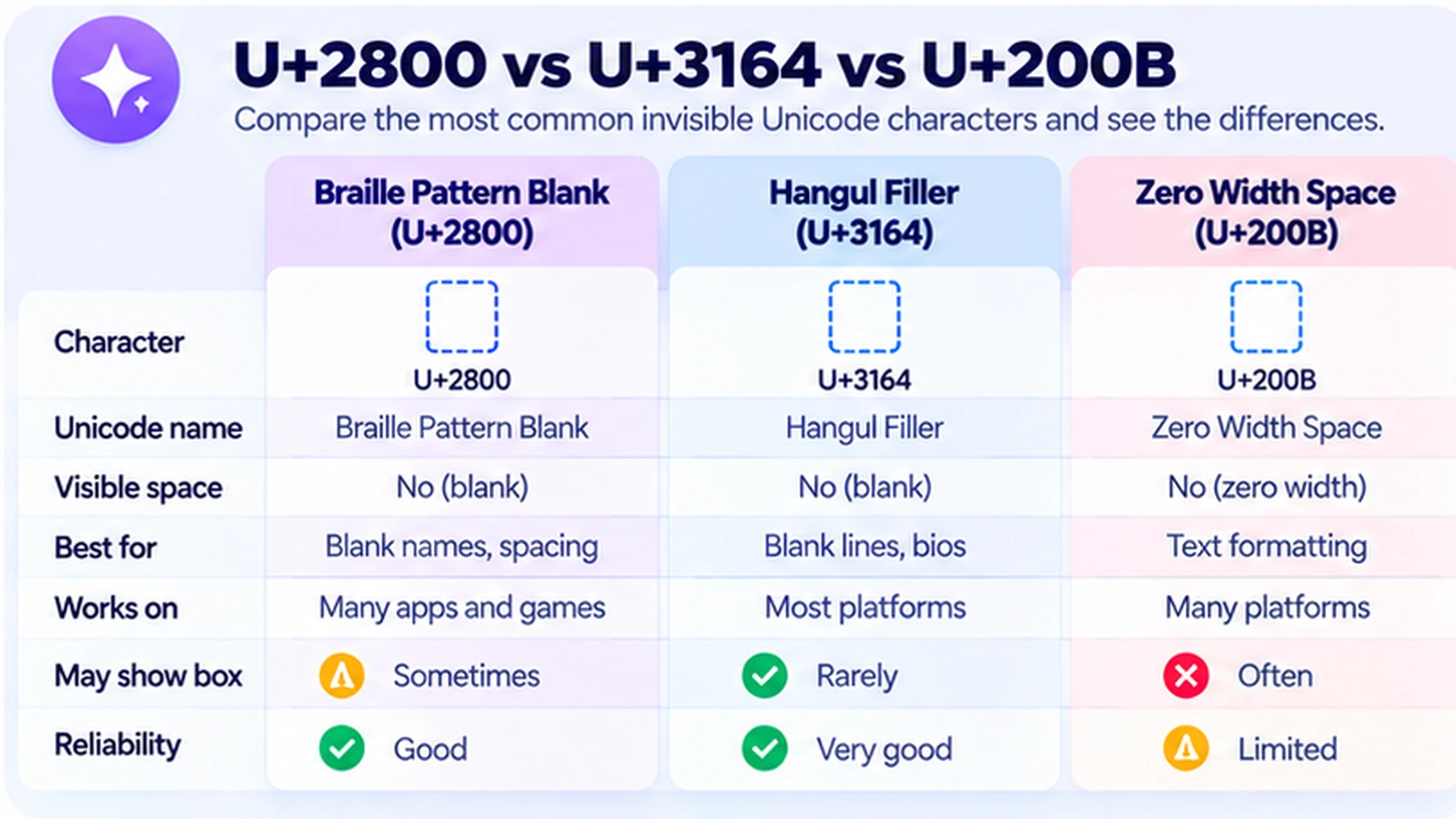
| Character | Code point | Unicode name | Typical behavior |
|---|---|---|---|
⠀ | U+2800 | Braille Pattern Blank | Empty Braille cell; may occupy width |
ㅤ | U+3164 | Hangul Filler | Hangul compatibility character that can look blank |
| U+200B | Zero Width Space | Zero-width formatting character; can indicate a line-break opportunity |
| U+0020 | Space | Ordinary word-separating space |
These characters are not interchangeable. U+2800 is a Braille pattern, U+3164 is a Hangul compatibility character, and U+200B is a format character. Each may be treated differently by a platform's input validation, text processing, or font rendering.
For a deeper look at U+200B, read Zero Width Space Explained. You can also learn more about detecting invisible characters.
Common Uses of Braille Pattern Blank
Creating Blank-Looking Lines
Some text fields trim ordinary spaces at the beginning or end of a line. Because U+2800 is a different character, it may remain in some contexts. That does not mean every platform accepts it or that it creates a true empty line.
Spacing in Social Media Bios
Creators sometimes experiment with U+2800 in short bios or descriptions to separate lines visually. Before publishing, check the result on another screen size and consider whether unusual spacing could make your bio harder to read.
Blank-Looking Messages
A message containing U+2800 is not technically empty. Certain messaging apps may let it through; others may strip it or treat it as invalid. Never assume it works on all versions of WhatsApp, Discord, or other services.
Testing Text and Unicode Handling
Developers and editors may use U+2800 to see whether an input field preserves unusual characters. If you are debugging unexpected blank areas, inspect the underlying Unicode code points rather than relying on visual appearance alone.
Names and Nicknames
Some users try U+2800 in display names or game nicknames. Apps and games can restrict or reject it. If a name change has a cost, check acceptance before spending in-game currency or a rename item.
Does U+2800 Work on Every Platform?
No. Copying a character successfully does not guarantee that a platform will accept or render it as blank. Differences can arise from input rules, font support, normalization, moderation, or app updates.
On iPhone and Android, you can generally copy and paste Unicode text, including U+2800, into editable fields. What happens after you paste depends on the destination app. The same applies to desktop browsers and web apps.
For platform-specific instructions, see our guides on invisible TikTok names, invisible Discord names, and blank WhatsApp messages.
Braille Pattern Blank vs. a Regular Space
A regular space is U+0020 and is commonly used between words. U+2800 is a separate Braille character. Both may appear blank, but they have different meanings and can behave differently when a website counts characters, trims whitespace, or validates names.
For example, a field that removes leading U+0020 spaces may not treat U+2800 in the same way. However, the site may still reject U+2800 under its own rules. Use it for legitimate formatting experiments, not to bypass restrictions.
Common Problems and How to Fix Them
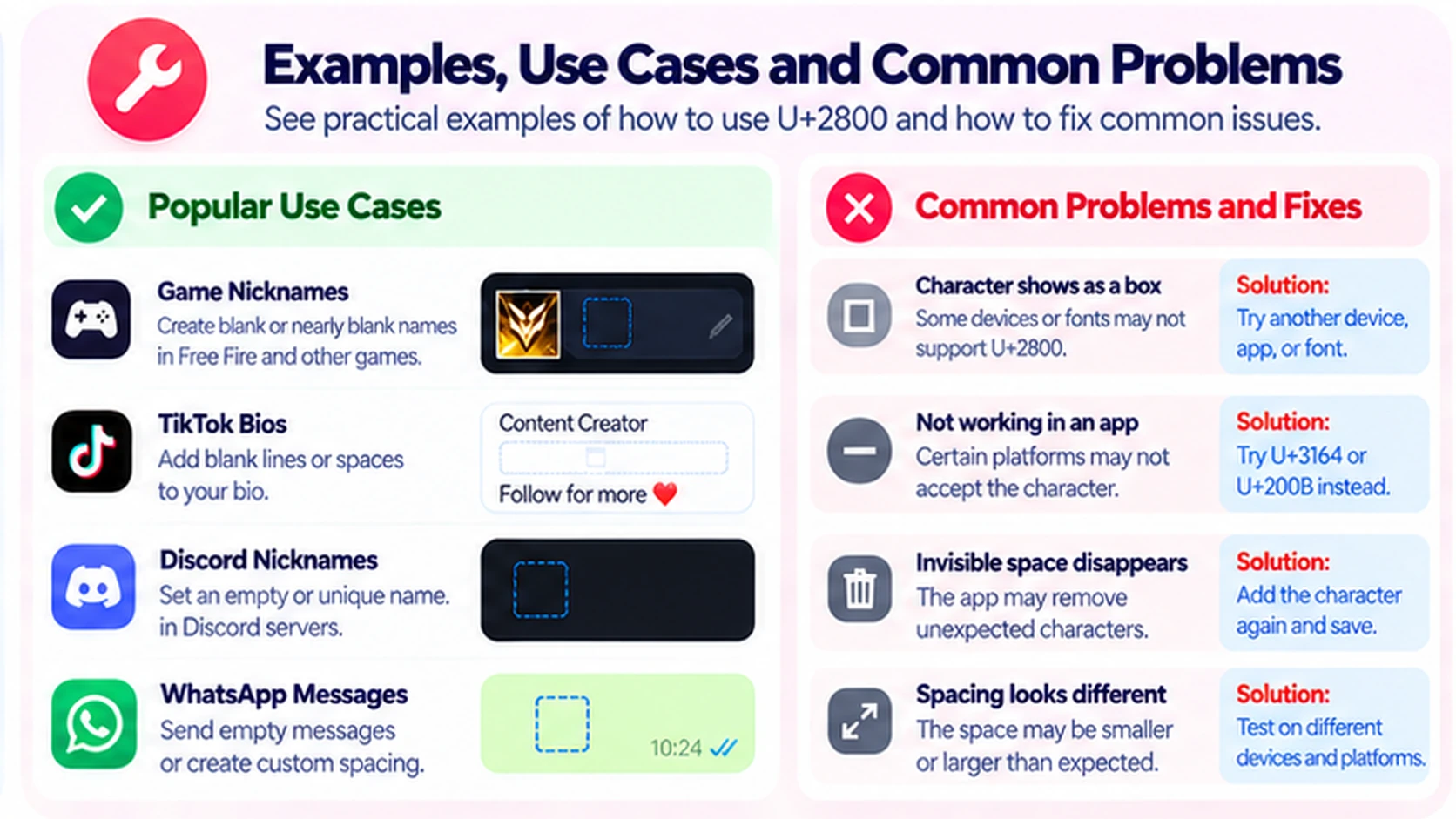
A Square or Box Appears Instead of Blank Space
The font or device may not render the character as expected. Try viewing it in a different text editor or device. If consistent appearance matters, use conventional spacing and formatting instead.
The Character Disappears After Pasting
The app may filter, normalize, or remove it. Check whether the app supports unusual Unicode input; if not, use the platform's built-in formatting options.
The Text Field Refuses to Save
The service may disallow the character in names, bios, or messages. Follow its validation rules and choose a readable alternative rather than repeatedly attempting to circumvent restrictions.
The Spacing Looks Different on Another Device
Fonts, text layout, and screen sizes affect appearance. Test where your audience will read the text and avoid layouts that rely on a fixed number of invisible characters.
Frequently Asked Questions
What is U+2800?
U+2800 is the Unicode character named Braille Pattern Blank, representing a Braille cell with no raised dots.
Is Braille Pattern Blank an invisible character?
It often looks blank, but it is a real Unicode character and may occupy width or show as a placeholder depending on the font.
How do I copy Braille Pattern Blank?
Copy the character ⠀ or use the BlankyText tool to select and copy U+2800.
Is U+2800 the same as a normal space?
No. A normal space is U+0020. Braille Pattern Blank is U+2800 and belongs to the Braille Patterns block.
Is U+2800 the same as Zero Width Space?
No. U+200B has zero width and is a formatting character. U+2800 represents an empty Braille cell and can occupy space.
Can I use Braille Pattern Blank in a social media bio?
You can test it, but each platform may accept, strip, or display the character differently.
Does U+2800 work in WhatsApp or Discord?
It may work in some text fields, but acceptance is not guaranteed across devices, app versions, or field types.
Why does U+2800 show as a box?
A font or app may lack a suitable rendering or may display a placeholder for the character.
Final Thoughts
Braille Pattern Blank (U+2800) is a useful example of a Unicode character that looks like whitespace without being an ordinary space. It can help with text-formatting experiments and Unicode testing, but its appearance and acceptance depend on the platform.
To try it, copy U+2800 from BlankyText, paste it where allowed, and check how it renders. For a related character, continue with our guide to Hangul Filler (U+3164) once that article is published.