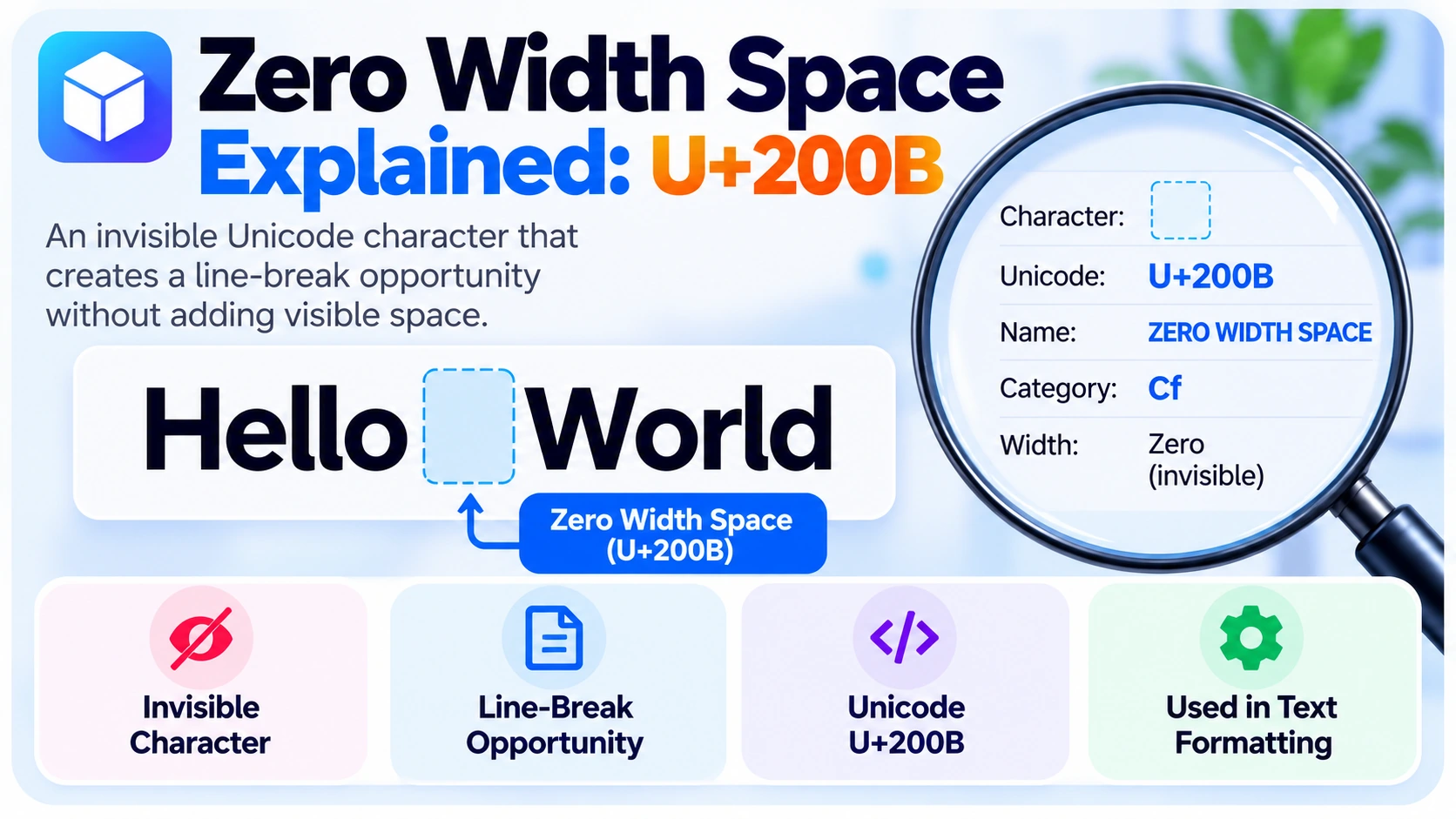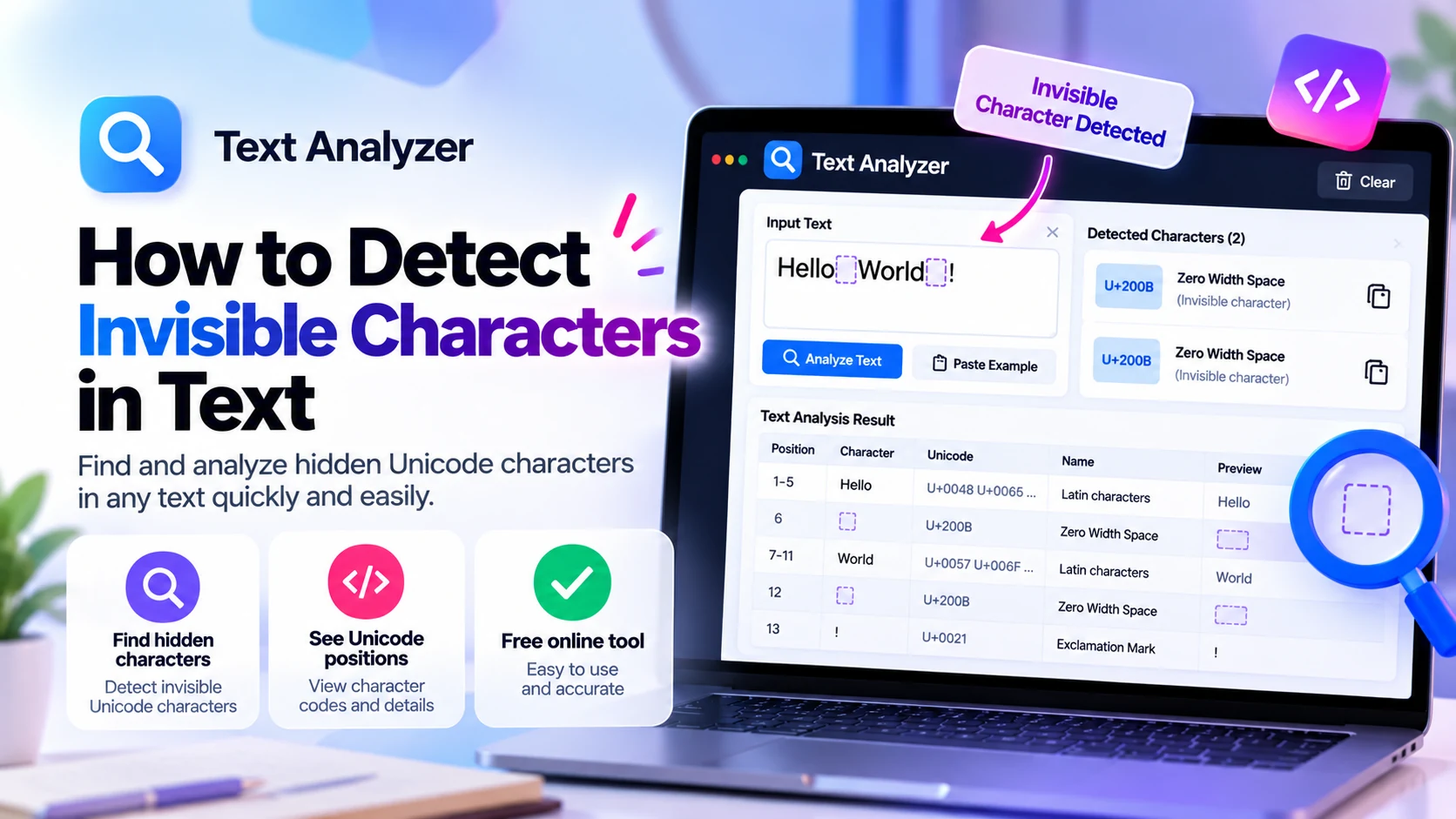
A copied phrase can look completely normal while containing an unexpected Unicode character. These hidden code points can change text comparisons, line wrapping, form input, or identifiers. Learning to detect invisible characters in text lets you find the actual difference instead of guessing from appearances.
For a quick check, copy the original text and inspect it with the BlankyText Character Detector. Keep the original unchanged until you know what the characters mean. Below, we explain the detection process, the Unicode characters most likely to cause confusion, and safe ways to remove unwanted ones.
What Are Invisible Characters in Text?
Some Unicode characters have no visible glyph or width; others occupy space but look blank. They are not all the same kind of character. For example, U+200B is a format character that normally has zero width, while U+00A0 is a non-breaking space and U+3164 is a Hangul compatibility character that often appears empty.
Consider HelloWorld and Hello\u200BWorld. The second notation represents a string containing a Zero Width Space between the two words. The rendered strings may look identical, but exact comparisons treat them as different.
Why Detect Hidden Unicode Characters?
Copy-and-Paste Formatting Problems
Websites, documents, and messages can include special spaces or format characters. After pasting, a paragraph may wrap unexpectedly or a value may fail a search. Inspecting code points shows whether the copied text differs from what you expected.
Usernames and Messages
Some display names and messages contain blank-looking characters. A visual comparison alone cannot establish whether two names contain the same characters. Unicode inspection can help explain the difference without assuming that a blank-looking name hides someone's account identity.
Code, Forms, and Imported Data
A product code, database key, or form value containing an unexpected U+200B may fail an exact match. Spreadsheet exports can also contain non-breaking spaces. Always check the actual string before changing validation rules or cleaning a dataset.
How to Detect Invisible Characters Online
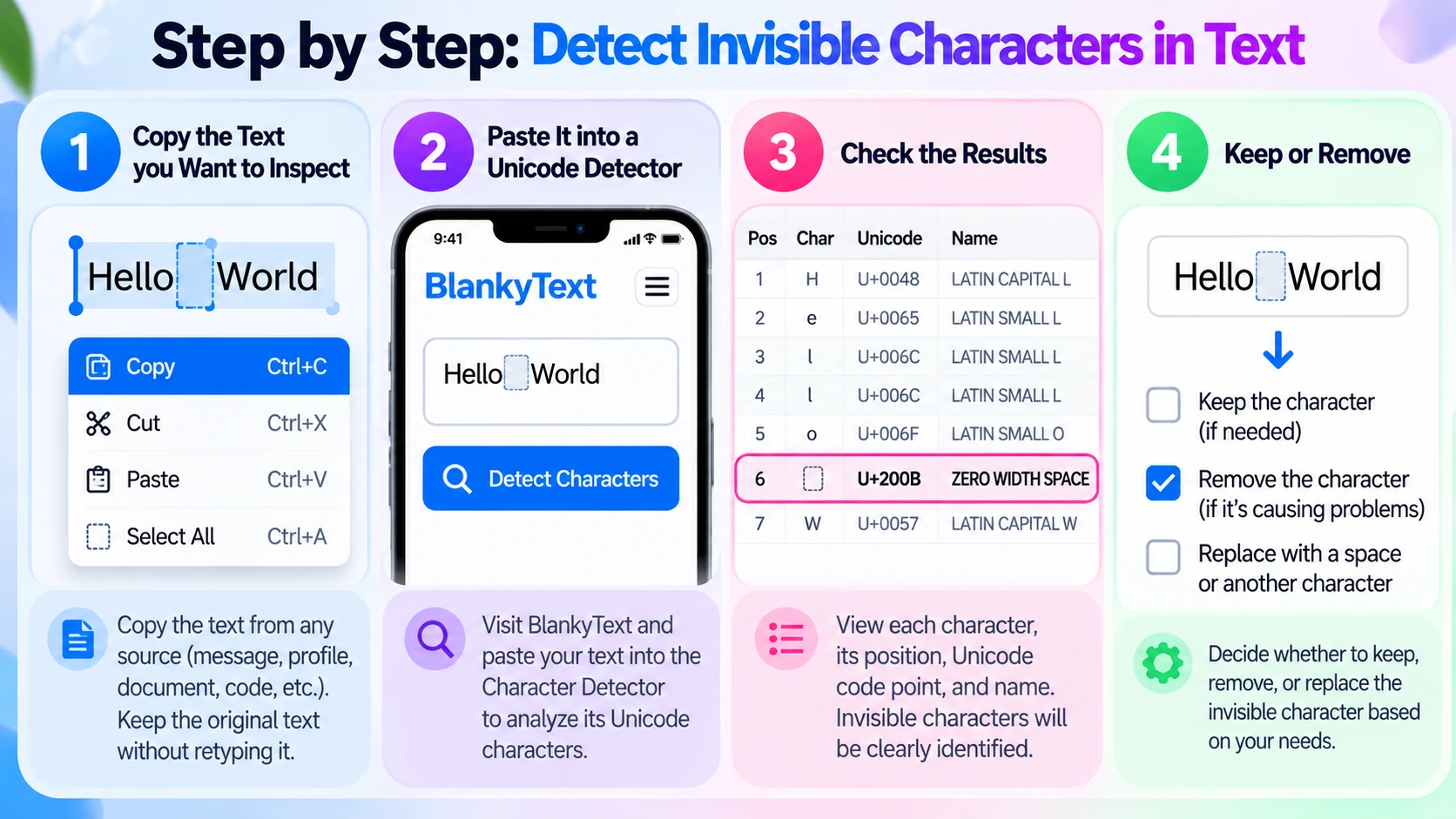
Step 1: Copy the Original Text
Copy the exact phrase, identifier, or message that behaves unexpectedly. Do not retype it: retyping may accidentally remove the hidden character. For long documents, start with a small excerpt containing the problem.
Step 2: Open a Unicode Character Detector
Visit BlankyText and find the Character Detector. Paste the copied text into its input. A Unicode inspector can help reveal code points that are difficult to recognize by sight.
Step 3: Read the Unicode Values
Look for code points such as U+200B, U+200C, U+200D, U+00A0, U+3164, U+2800, or U+FEFF. If positions are displayed, remember that tools may count Unicode code points or UTF-16 code units differently when emoji are present.
Step 4: Keep, Replace, or Remove
Finding a character does not automatically mean it is an error. For example, a Zero Width Joiner can be necessary for a combined emoji, and a Zero Width Non-Joiner can affect letter shaping in certain languages. Only change characters that you have identified as unwanted.
Common Invisible Unicode Characters
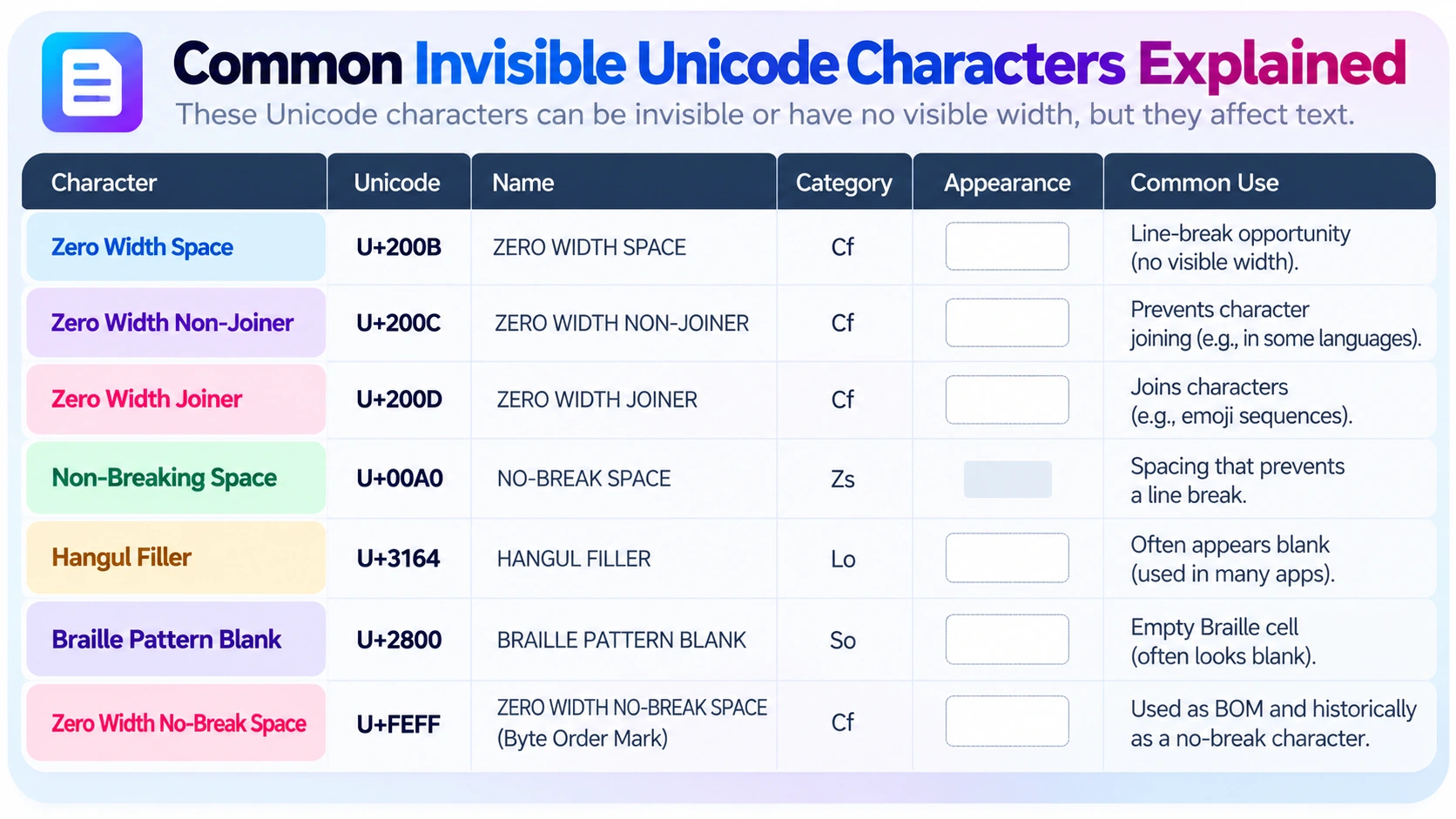
| Code point | Name | Typical behavior |
|---|---|---|
U+200B | Zero Width Space | Possible line-break opportunity with no visible width |
U+200C | Zero Width Non-Joiner | Prevents certain joining behavior |
U+200D | Zero Width Joiner | Supports joining, including some emoji sequences |
U+00A0 | Non-Breaking Space | Visible spacing without a normal line break |
U+3164 | Hangul Filler | Often appears blank; classified as a letter |
U+2800 | Braille Pattern Blank | Empty Braille cell; may occupy width |
U+FEFF | Zero Width No-Break Space / BOM | Encoding signature in some files; historical no-break use |
Zero Width Space (U+200B)
This format character normally creates no visible width. It can mark a potential line-break position, but an unexpected instance inside an identifier changes the string. See our Zero Width Space explanation for its precise behavior.
Zero Width Non-Joiner and Joiner
U+200C and U+200D are not interchangeable with spaces. They affect shaping and joining. Removing them indiscriminately may alter words or split an emoji sequence into multiple symbols.
Non-Breaking Space (U+00A0)
A non-breaking space looks like ordinary spacing but prevents a normal line break at its position. It can be intentional in formatted documents, yet problematic in data that expects plain ASCII spaces.
Hangul Filler and Braille Pattern Blank
U+3164 and U+2800 can look empty, but they are not zero-width formatting characters. Their appearance and width depend on the font and rendering environment.
U+FEFF and the Byte Order Mark
At the start of certain encoded files, U+FEFF can function as a byte order mark. An unexpected instance inside ordinary text may cause parsing or comparison problems. Do not automatically remove an encoding signature from a file without understanding its format.
Find Invisible Characters Without an Online Tool
Inspect Text in an Editor
Code editors can show regular whitespace such as spaces and tabs. This does not guarantee that every zero-width Unicode format character will be highlighted. Use a Unicode-aware inspector when you need exact code points.
Detect Characters with Python
Python can print the position, code point, and Unicode name of each character:
import unicodedata
text = "Hello\u200BWorld"
for position, character in enumerate(text):
    print(position, f"U+{ord(character):04X}",
          unicodedata.name(character, "UNNAMED"))
The hidden character appears as 5 U+200B ZERO WIDTH SPACE. Python's iteration here counts Unicode code points.
Detect Characters with JavaScript
const text = "Hello\u200BWorld";
for (const [position, char] of Array.from(text).entries()) {
  console.log(position, `U+${char.codePointAt(0).toString(16).toUpperCase().padStart(4, "0")}`);
}
Array.from() iterates over Unicode code points rather than individual UTF-16 code units. The example reports U+200B at zero-based position 5.
How to Remove Invisible Characters Safely
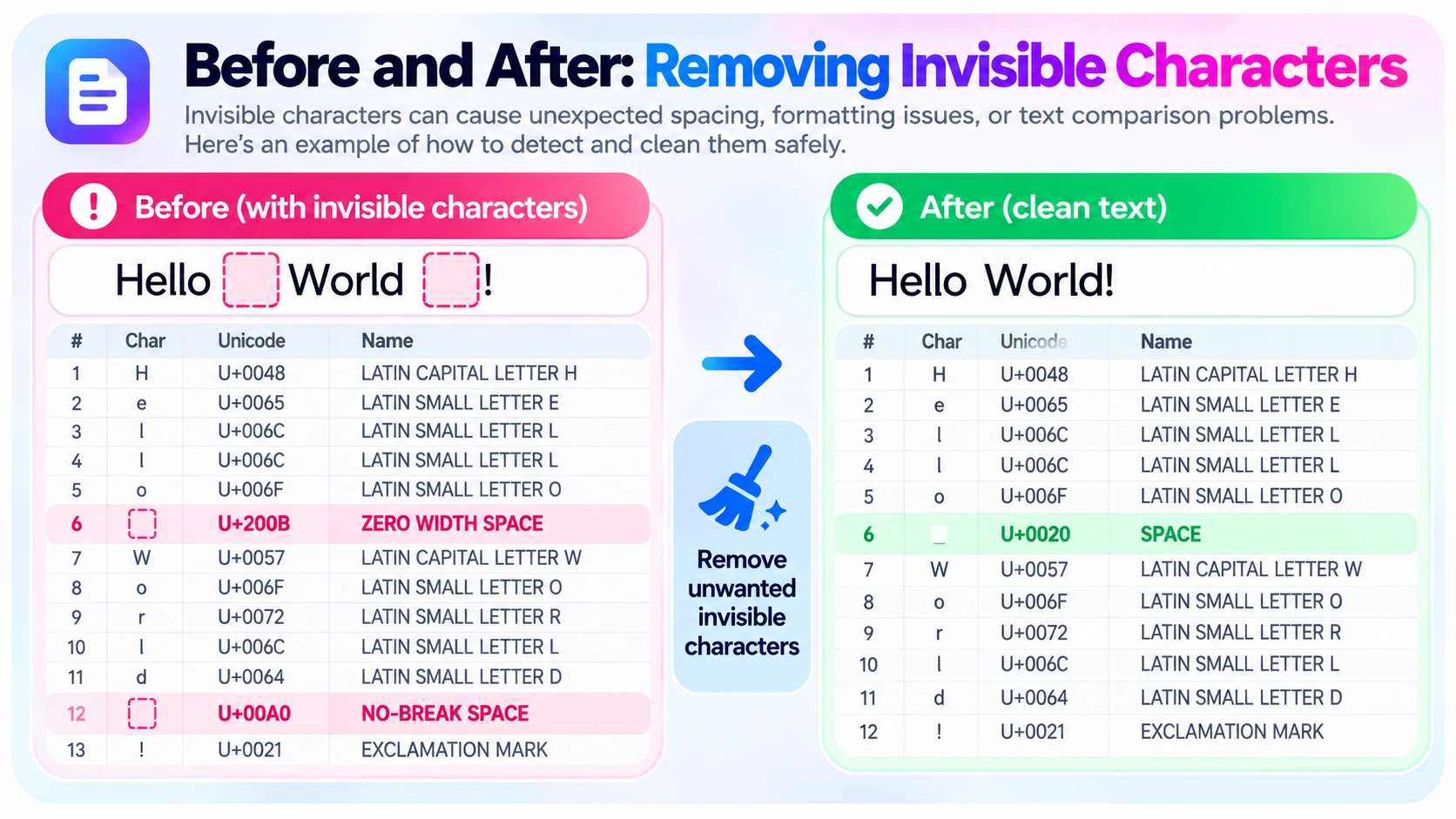
If you have confirmed that a specific U+200B is unwanted, remove that code point rather than stripping every format character:
text = "Hello\u200BWorld"
cleaned = text.replace("\u200B", "")
print(cleaned)  # HelloWorld
const text = "Hello\u200BWorld";
const cleaned = text.replace(/\u200B/g, "");
console.log(cleaned); // HelloWorldIf the intended text should contain a normal space, replace U+200B with U+0020 instead of deleting it. Similarly, replacing U+00A0 with a normal space can be appropriate for some imported data but may change intentional typography.
Avoid blanket deletion. Zero Width Joiner is important in many emoji sequences; Zero Width Non-Joiner matters in some writing systems. Work on a copy and verify the result before saving changes to a document or dataset.
Frequently Asked Questions
How do I detect a Zero Width Space?
Inspect the text for Unicode code point U+200B with a character detector or code-point inspection script. It may not be visible in a regular editor.
Are invisible characters always spaces?
No. Some are format characters, while others are letters, symbols, or space separators. Their Unicode categories and purposes differ.
Why do two identical-looking strings compare differently?
They may contain different code points, invisible characters, or different Unicode normalization forms. Compare their underlying character sequences.
Does showing whitespace reveal every hidden character?
No. Whitespace rendering in editors may show spaces and tabs without exposing all zero-width format characters.
Can I remove every invisible character?
That is not recommended. Some are essential for language shaping, emoji, or deliberate formatting. Identify the character and remove only unwanted occurrences.
Can a detector reveal text hidden by CSS or encryption?
Not necessarily. A Unicode detector inspects the characters in the supplied text; it does not uncover content absent from that text or hidden by unrelated mechanisms.
Final Thoughts
The most reliable way to detect invisible characters in text is to examine Unicode code points, not just the visible appearance. Copy the original text, inspect suspicious characters, and remove only those that cause a real problem. The BlankyText Character Detector can help you start, and our U+200B guide explains one of the most common hidden characters in depth.