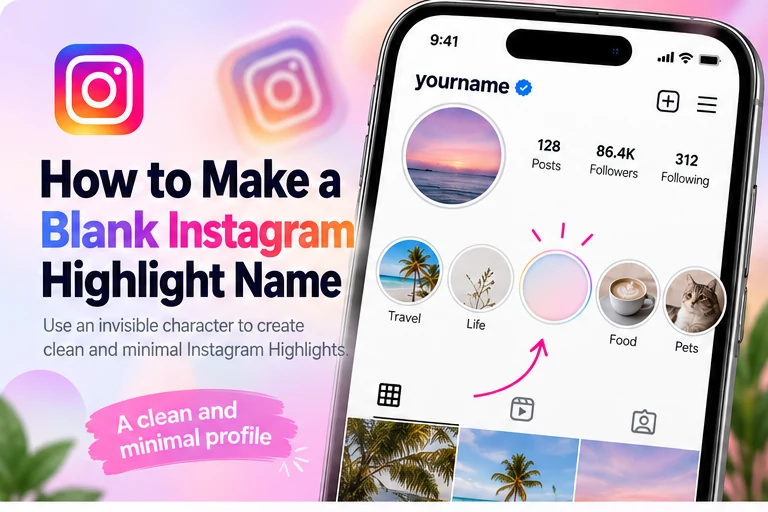
Want a blank Instagram Highlight name so your profile shows minimalist Highlight covers without visible text underneath? You can try an invisible Unicode character instead of a regular space.
The method is simple: copy a blank-looking character, open an Instagram Story Highlight, replace its title, and save. Unlike a keyboard space, certain Unicode characters may appear empty while still being stored as text. Instagram may reject or remove them depending on the app version and its validation rules.
This guide explains the steps, which Unicode characters to try, and what to do when a blank Highlight title will not save.
Can You Have an Instagram Highlight Without a Name?
It may be possible to make a Highlight name appear blank by replacing its title with an invisible character. A Highlight is a collection of Stories saved to your Instagram profile. Its cover appears above a short title.
Deleting the title completely may cause Instagram to restore a default name or require text. Ordinary spaces can also be removed automatically. Invisible Unicode characters are different: they have their own code points, even when they look like empty space.
- Regular space (U+0020): The familiar keyboard space.
- Hangul Filler (U+3164): A character that commonly appears blank but is classified as a letter.
- Braille Pattern Blank (U+2800): A blank Braille cell that often displays as empty space.
Changing the title does not itself delete Stories or change the Highlight's visibility settings.
How to Make Your Instagram Highlight Name Blank
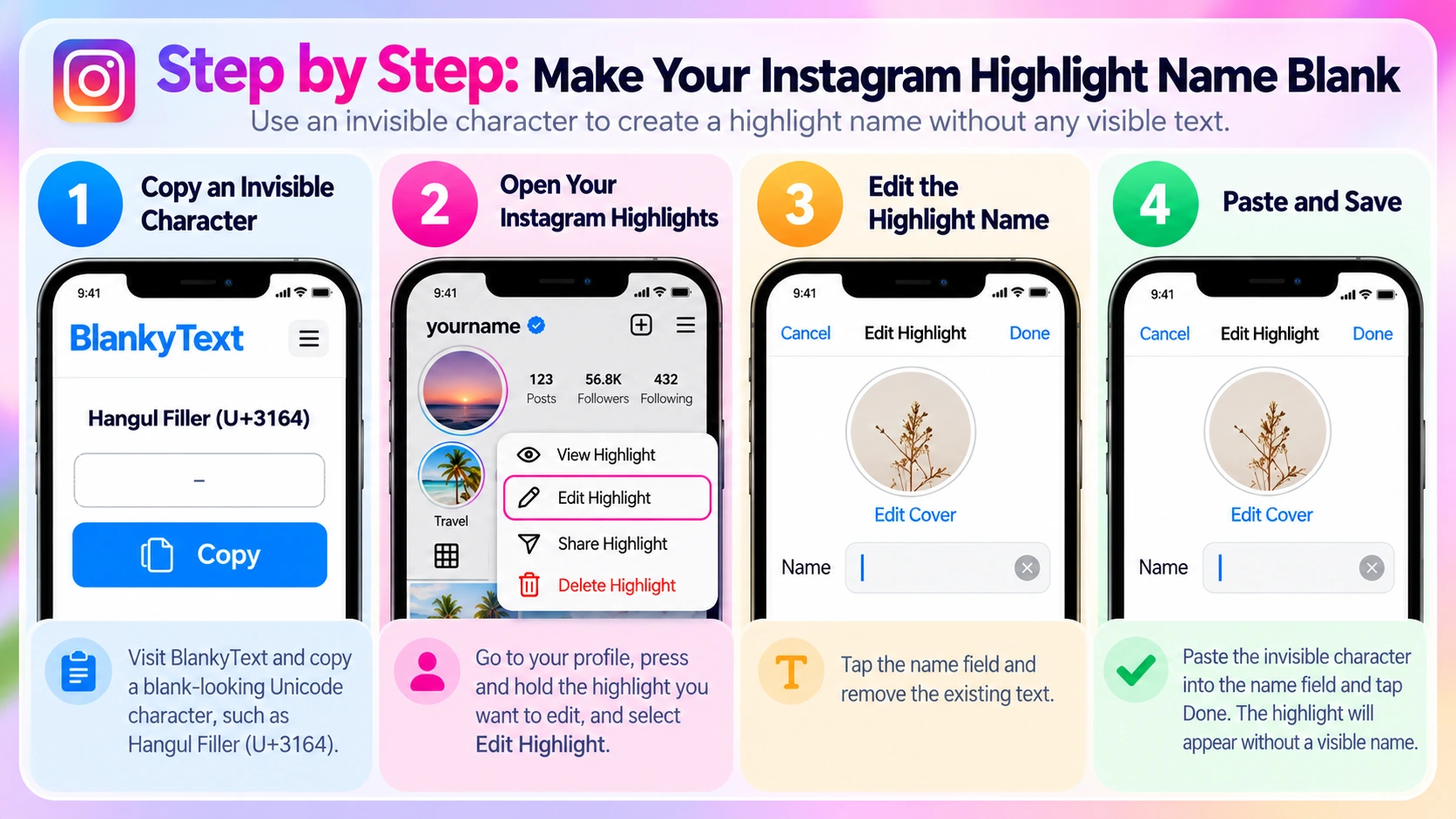
These steps can be attempted on Android or iPhone. Menu labels may vary by Instagram version.
Step 1: Copy an Invisible Character
Open the [BlankyText invisible character copy tool](/) and choose a blank-looking Unicode character, such as Hangul Filler (U+3164). Tap the copy button to save it to your clipboard. You may not see the character after copying; that is expected.
Tip: Copy an actual Unicode character, not an ordinary keyboard space.
Step 2: Open Your Instagram Highlights
Open Instagram and go to your profile. Find the Story Highlight you want to change. Press and hold its cover, then select Edit Highlight. If that menu does not appear, open the Highlight and look for its More or editing controls.
Step 3: Edit the Highlight Name
In the Highlight editor, tap the name field and delete the existing visible letters. Make sure you are changing the Highlight title, not your username, profile name, or bio; those fields can have different rules.
Step 4: Paste the Invisible Character and Save
Tap the name field, select Paste, and save using Done or the equivalent control. The field may look empty even when it contains a Unicode character. Return to your profile to check whether the title now looks blank.
If Instagram restores a default name, rejects the character, or shows a visible box, try the troubleshooting advice below.
Which Invisible Character Works for Instagram Highlights?
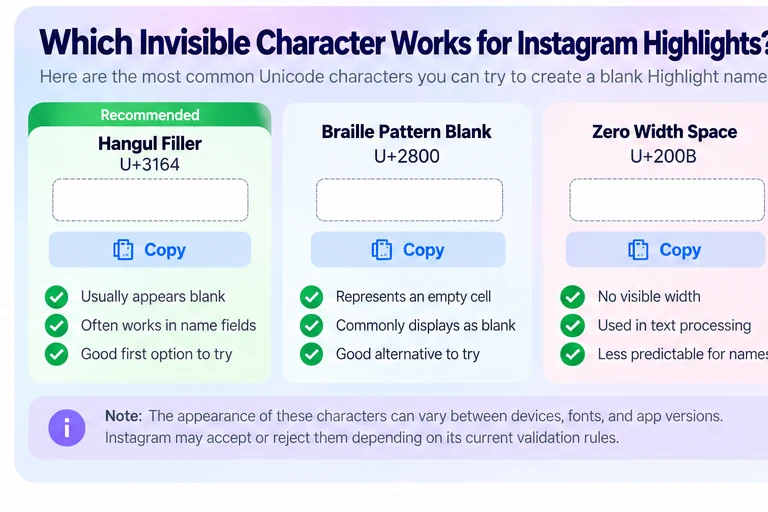
Not every invisible character behaves alike. Some take up visible layout width; others have zero width. Some are categorized as letters or symbols rather than ordinary whitespace. Instagram can handle each differently.
Hangul Filler (U+3164)
Hangul Filler belongs to the Hangul Compatibility Jamo block. It often looks blank, yet it is not a normal space. That makes it a reasonable first candidate when an app trims ordinary spaces. It is not guaranteed to be accepted by Instagram.
Braille Pattern Blank (U+2800)
Braille Pattern Blank represents an empty Braille cell. It may render as blank space in many fonts. If Hangul Filler is rejected, this is another character to test. Appearance can vary by device and font.
Zero Width Space (U+200B)
Zero Width Space generally occupies no visual width and can indicate a line-break opportunity in text. Apps may strip or normalize invisible formatting characters, making it less predictable for a Highlight name. Start with U+3164 and try U+2800 as an alternative.
Why Is My Instagram Highlight Name Not Blank?
Instagram Removes the Character
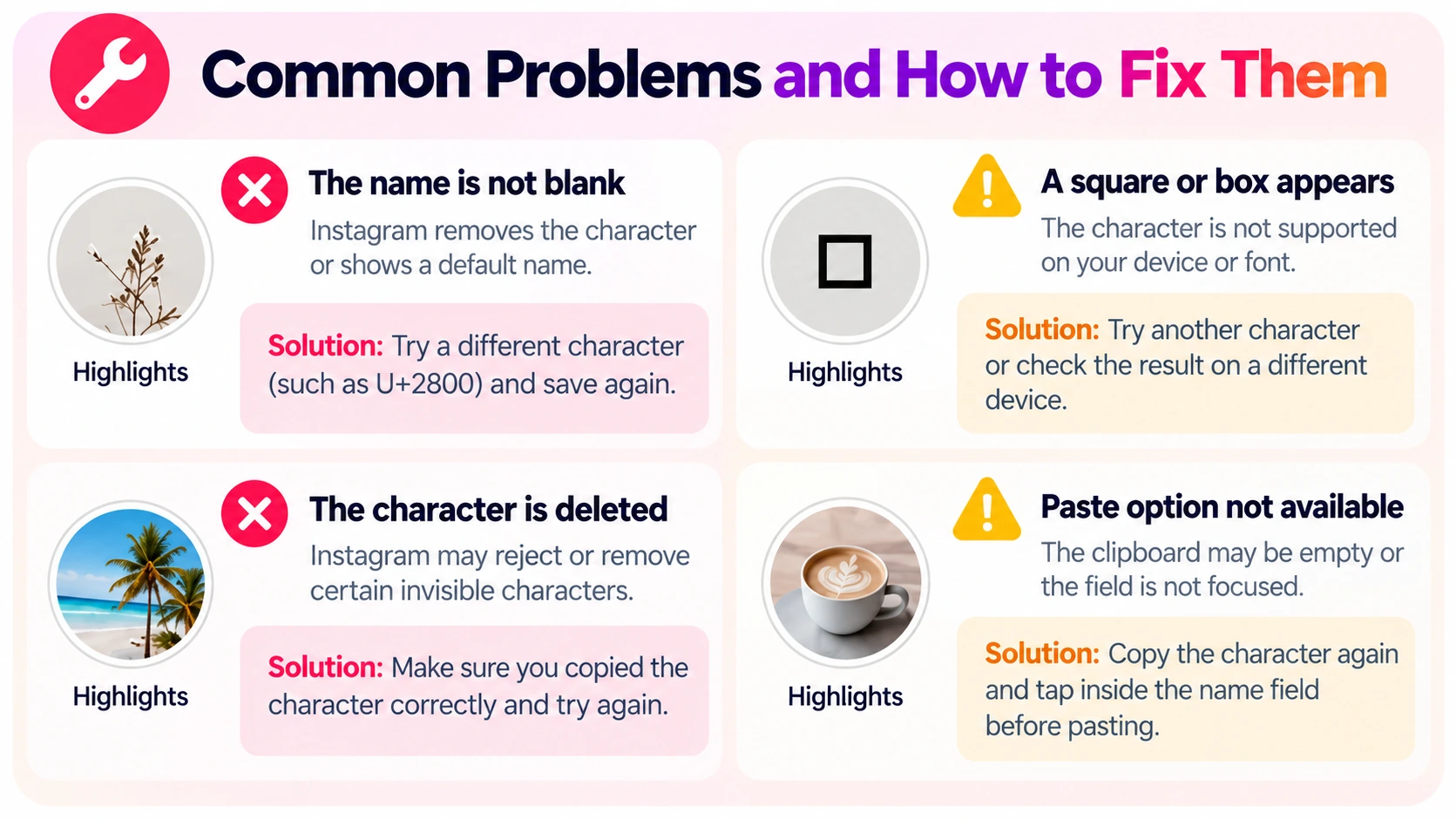
If you save and the old title returns, Instagram may have rejected the pasted character. Try U+2800 instead of U+3164 once. If both fail, the current version may not support this method.
A Default Highlight Name Appears
Deleting the entire title without inserting a valid character may cause a default label to appear. Copy the Unicode character again from BlankyText rather than entering a space with your keyboard.
The Character Appears as a Square
A square or replacement symbol can indicate a font or rendering issue. Try another character and check how the result appears on a second device if possible. A blank-looking title on your phone might look different elsewhere.
The Paste Option Is Missing
Your clipboard might be empty or the text field may not be focused. Copy the character again, return to Instagram, and tap inside the name field before pasting.
The Highlight Still Shows Its Old Name
Reopen the editor to check whether the character was saved. Confirm the change, then reopen the profile. Restarting the app may refresh its display, but it will not bypass character restrictions.
Nothing Works
Instagram can change its text validation rules. If multiple blank-looking characters are rejected, avoid unfamiliar third-party apps promising guaranteed invisible names. A short visible label or simple symbol is a practical alternative.
Tips for Clean and Minimal Instagram Highlights
Use Matching Covers
Choose a consistent color palette or icon style across your Highlights. A matching set can look tidy whether your titles are blank or visible.
Make Covers Recognizable
Without readable names, visitors rely on the cover artwork to identify each collection. Use recognizable symbols for travel, food, photography, or other topics rather than nearly identical abstract icons.
Consider Accessibility
Invisible titles remove useful text labels. Some visitors, including people using assistive technology, may find Highlights harder to identify. Business accounts may benefit more from short labels such as Products, Reviews, FAQ, or Contact.
Use Only What You Need
Start with one invisible character. Long strings can introduce unexpected spacing or exceed field limits, without making the title more invisible.
Frequently Asked Questions
Can I remove an Instagram Highlight name completely?
You can try deleting it, but Instagram may restore a default title or require text. An invisible Unicode character may make the name appear blank without leaving the field technically empty.
How do I copy a blank space for Instagram Highlights?
Visit [BlankyText](/), copy a blank-looking Unicode character, open Instagram, edit the Highlight title, and paste it into the name field.
Does this work on iPhone and Android?
You can attempt the method on both platforms. Success depends on Instagram's current validation and rendering behavior, which may differ between devices and app versions.
Will changing the Highlight name delete my Stories?
Renaming a Highlight is separate from deleting its Stories or the Highlight itself. Avoid selecting any removal or delete controls while editing.
Why doesn't a normal space work?
Applications often trim ordinary spaces from the beginning or end of fields. A blank-looking Unicode letter or symbol may be processed differently, though Instagram can still reject it.
Can other people detect the invisible character?
Yes. The underlying title contains a real Unicode character, even when it appears blank. It may be detectable by copying or inspecting the text, and its appearance may vary across devices.
Is the result permanent?
Not necessarily. App updates or later edits can change how the character is handled. Recheck your Highlight if keeping the title blank is important.
Final Thoughts
A blank Instagram Highlight name can create a clean, minimalist profile. Copy a blank-looking Unicode character, edit your Highlight title, paste it, and save. Hangul Filler (U+3164) is a reasonable first option; Braille Pattern Blank (U+2800) is an alternative.
There is no guarantee that Instagram will accept either character. When you are ready to try, use the [free invisible text tool at BlankyText](/) to copy a character without installing additional software.