Want an invisible TikTok name? Certain Unicode characters can look blank even though they contain real text. You can try pasting one into your TikTok display name, but the app may reject or remove it. No invisible character is guaranteed to work on every device or app version.
In this guide, you'll learn how to test a blank-looking display name, how that differs from your @username, and what to do when TikTok does not accept it. Start with the free [BlankyText invisible text tool](/).
Can You Really Make Your TikTok Name Invisible?
A truly empty name contains zero characters. A blank-looking name contains Unicode characters that may render invisibly. TikTok can validate, normalize, or reject these characters, so the method is an experiment rather than an official feature.
Important: Your TikTok display name (sometimes labeled Name or nickname) is not the same as your username. Your username is your unique @handle and forms part of your profile URL. This guide does not claim you can make a username invisible.
How to Try an Invisible TikTok Display Name
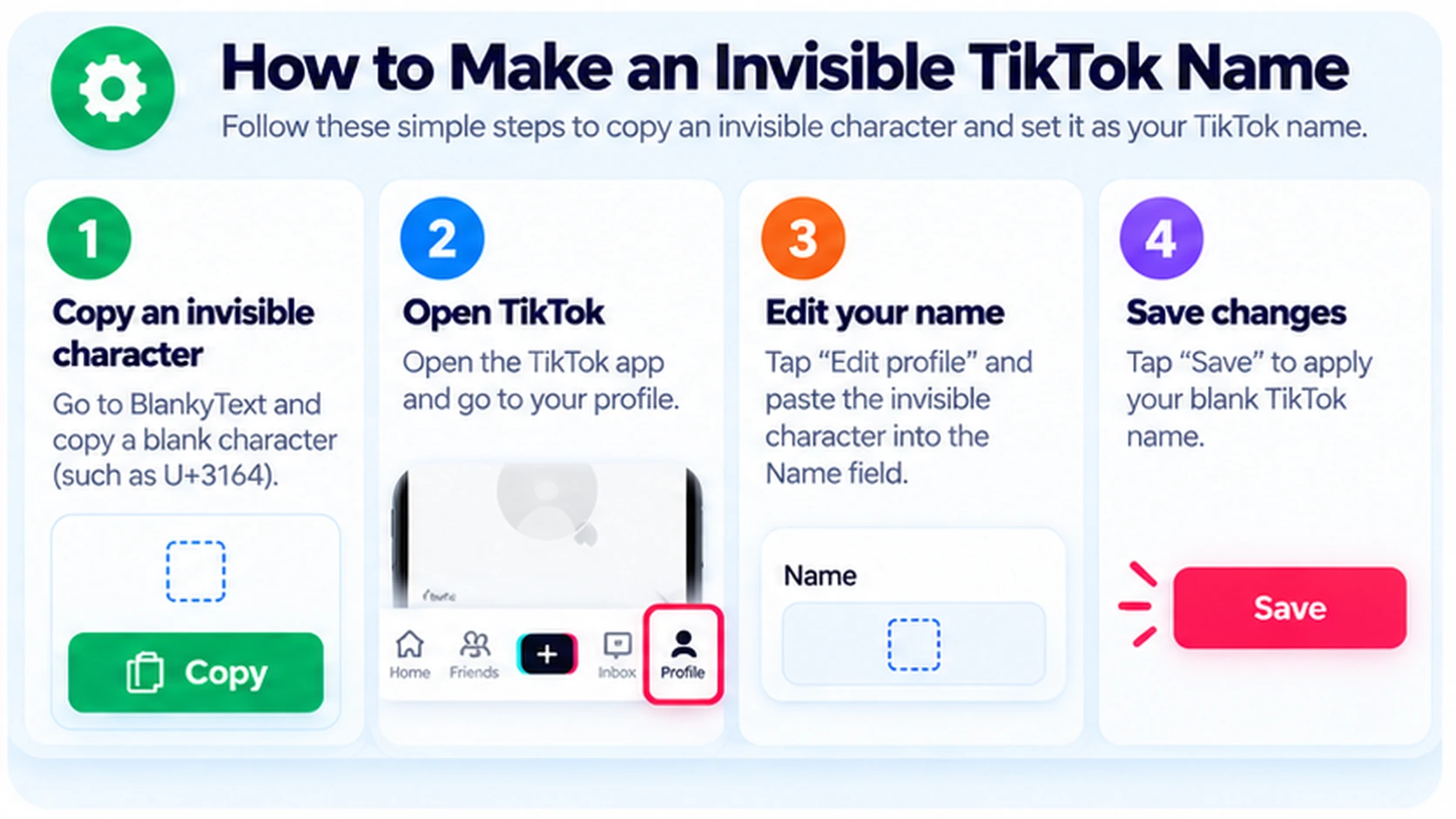
Step 1: Copy an Invisible Character
Open [BlankyText](/) and copy a blank-looking Unicode character, such as Hangul Filler (U+3164). A regular keyboard space is different and may be discarded.
Step 2: Open Edit Profile
Open TikTok, visit your profile, select Edit profile, and find the Name or display-name field. Labels can vary by app version.
Step 3: Paste the Character
If you are comfortable replacing your existing display name, paste the copied character into the Name field. The field may appear empty even though a Unicode character is present.
Step 4: Save and Verify
Tap Save if TikTok allows it, then check the profile. If the app reports an error or rejects the character, use a normal readable name rather than repeatedly attempting to bypass restrictions.
Quick checklist: Copy from BlankyText → Profile → Edit profile → Name → Paste → Save if accepted.
Which Invisible Unicode Characters Can You Try?
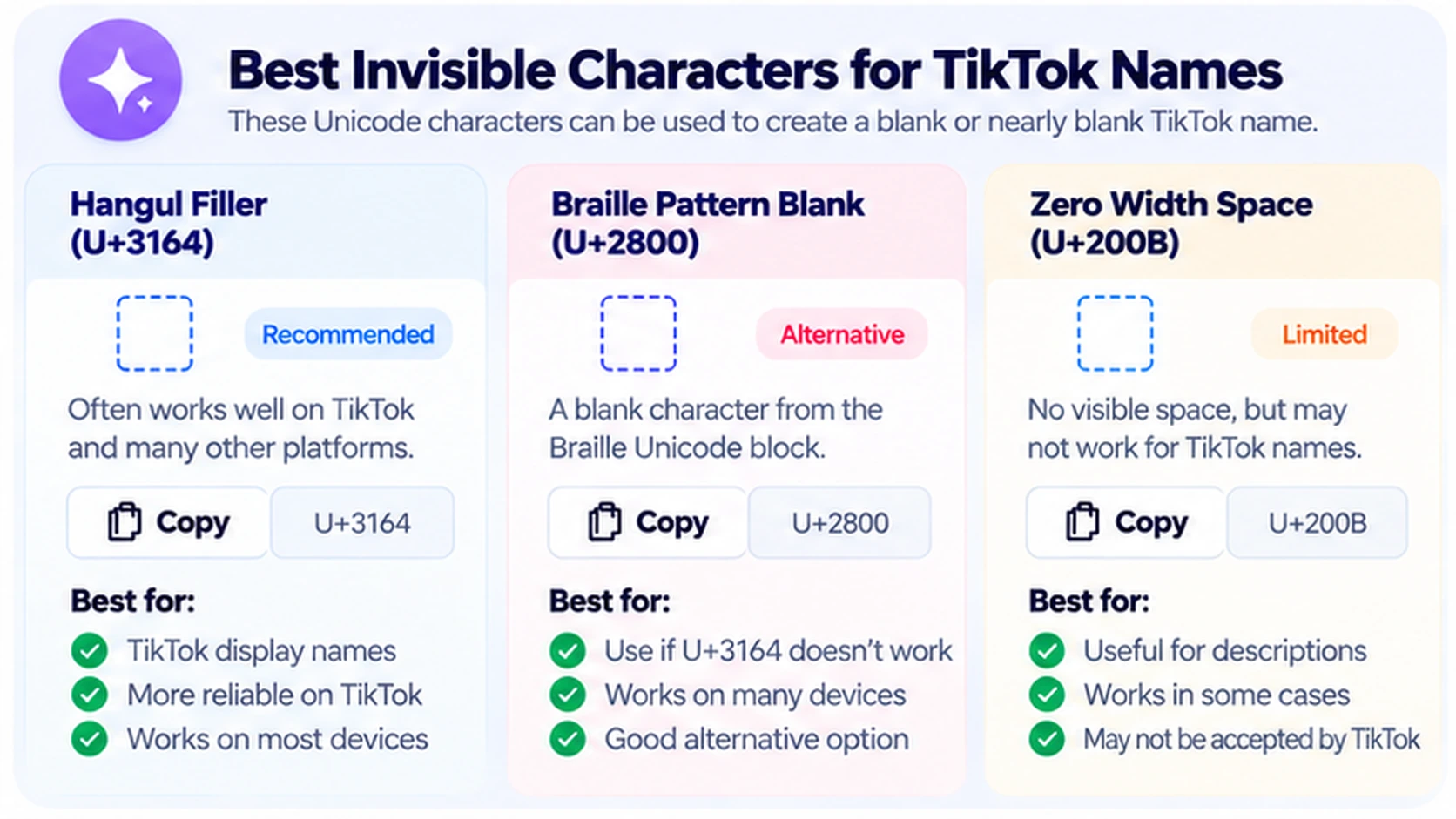
| Character | Code point | Typical appearance | TikTok limitation |
|---|---|---|---|
| Hangul Filler | U+3164 | Blank-looking space | May be rejected |
| Braille Pattern Blank | U+2800 | Empty Braille cell | May occupy visible space |
| Zero Width Space | U+200B | Zero visible width | May be stripped or ignored |
| Regular Space | U+0020 | Ordinary space | Often treated as empty input |
Hangul Filler (U+3164)
Hangul Filler is a Unicode character that often looks like a blank space. It is not a TikTok-specific command, and TikTok may not accept it as a complete display name.
Braille Pattern Blank (U+2800)
This character represents an empty Braille cell. Depending on the font, it can create spacing or appear as a placeholder. Its appearance is not identical across devices.
Zero Width Space (U+200B)
Zero Width Space is a formatting character used to mark potential line-break opportunities without adding a visible space. Some apps remove it during validation. Learn more in our Zero Width Space guide.
TikTok Display Name vs. Username
| Field | Purpose | Can it be invisible? |
|---|---|---|
| Display name / Name | Name shown on the profile and in parts of the app | Blank-looking Unicode may be rejected |
| Username / @handle | Unique account identifier and profile URL | Do not expect a blank username |
If you want a minimalist profile, a short readable display name is more dependable than invisible text. Even if your display name looks blank, your account remains identifiable through its username and other profile details.
Why Is My Invisible TikTok Name Not Working?
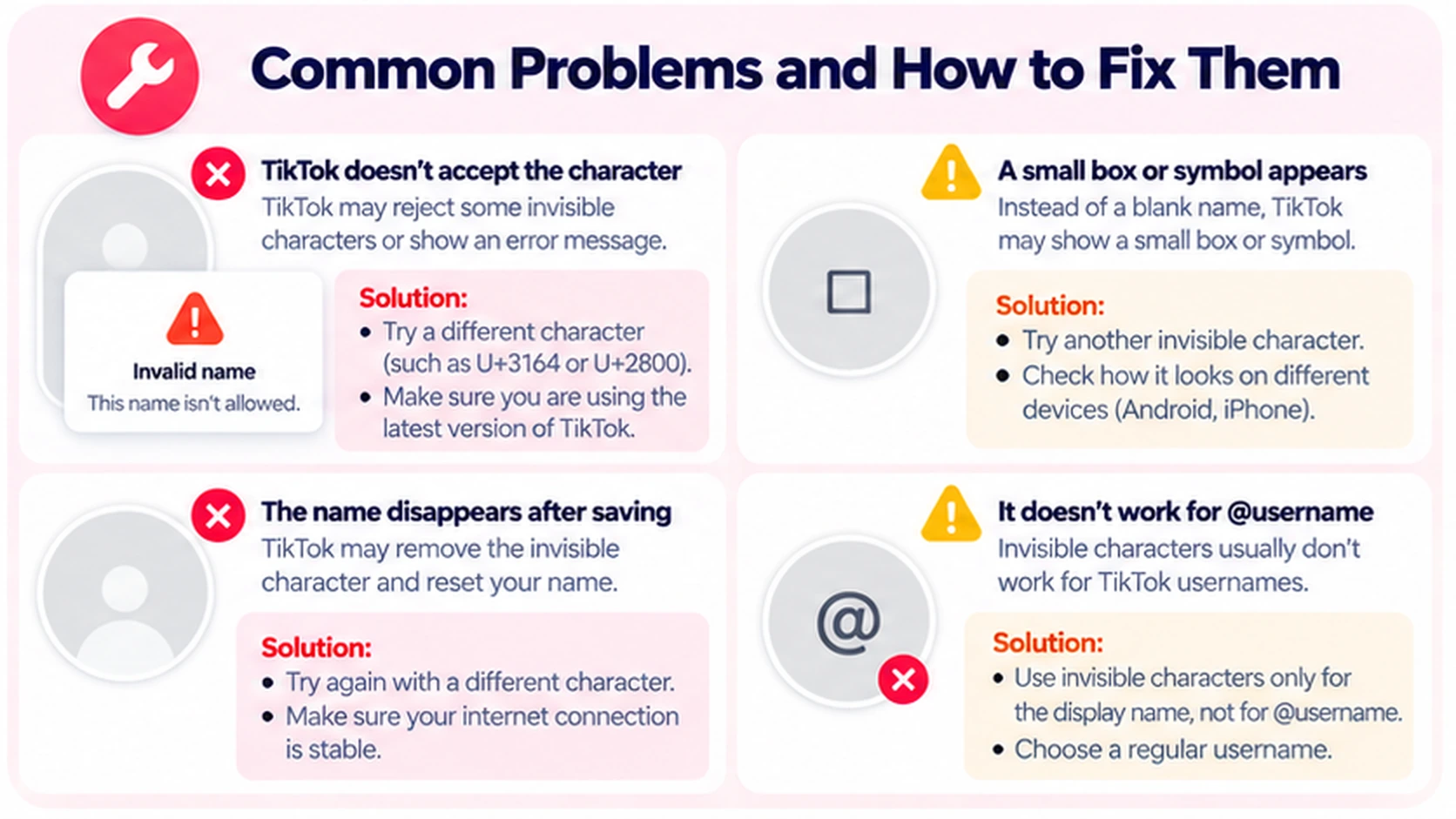
TikTok Says the Name Is Invalid
The app may not permit the character. Follow the error message and choose a standard display name if the change is rejected. App rules can change.
The Character Appears as a Square
Fonts and operating systems render Unicode differently. What looks invisible on one phone can appear as a box or placeholder on another.
The Save Button Is Disabled
Check that you are editing Name, not Username. Validation rules, editing limits, or temporary app problems may also prevent a change. Follow TikTok's displayed guidance.
The Name Changes Back
TikTok may remove or normalize unusual characters after submission. A blank-looking preview does not prove the new name was saved. Use a readable name if the character does not persist.
Does It Work on iPhone, Android, and TikTok Web?
You can copy and paste Unicode text on iPhone and Android. Whether TikTok accepts that text is a separate issue. Profile-editing controls can also differ between the mobile app and web interface; if you cannot find the Name field, use the app's current profile settings.
Is an Invisible TikTok Name Safe?
Unicode text is not executable code, but a blank-looking name can make it harder for friends to recognize your account. Do not use it to impersonate other people or evade moderation. An invisible-looking display name is not a privacy or anonymity feature.
Frequently Asked Questions
Can I make my TikTok username completely invisible?
You should not expect to. TikTok usernames are unique identifiers with character restrictions. This tutorial covers the display name.
What invisible character works best on TikTok?
No character is universally reliable. U+3164 and U+2800 are blank-looking Unicode characters, but TikTok may reject either.
Why does my blank TikTok name show a box?
Your device or app font may display a placeholder instead of a blank character. Rendering varies across devices.
Can I copy an invisible name on iPhone?
Yes, iPhone supports Unicode copy and paste. TikTok still decides whether it will save the character.
Does it work on Android?
Android supports Unicode copy and paste, but TikTok may filter the character.
Can I use Zero Width Space (U+200B)?
You can test it, but TikTok may remove or ignore it. It is not a guaranteed name-hiding method.
Will an invisible display name hide my account?
No. Your username, profile URL, posts, and other details can still identify your account.
Where can I copy invisible characters?
Use [BlankyText](/) to copy invisible Unicode text. You can also read our invisible character detection guide.
Final Thoughts
An invisible TikTok name is an experiment with Unicode, not a guaranteed TikTok setting. Copy a blank-looking character from [BlankyText](/), test it in the display-name field, and save only if the app accepts it. Otherwise, use a short readable name.
For related tutorials, see How to Make an Invisible Discord Name and How to Add Invisible Spaces to Your Instagram Bio.