A Zero Width Space (U+200B) is a Unicode character that normally creates no visible gap, yet can indicate a possible place to break a line. It is easy to overlook because it is part of the text even when you cannot see it. Understanding U+200B helps explain surprising line breaks, failed exact comparisons, and hidden differences in copied content.
This guide covers what the character means, how it differs from ordinary spaces and related Unicode characters, and how to copy, detect, or remove it without damaging other text.
What Is a Zero Width Space (U+200B)?
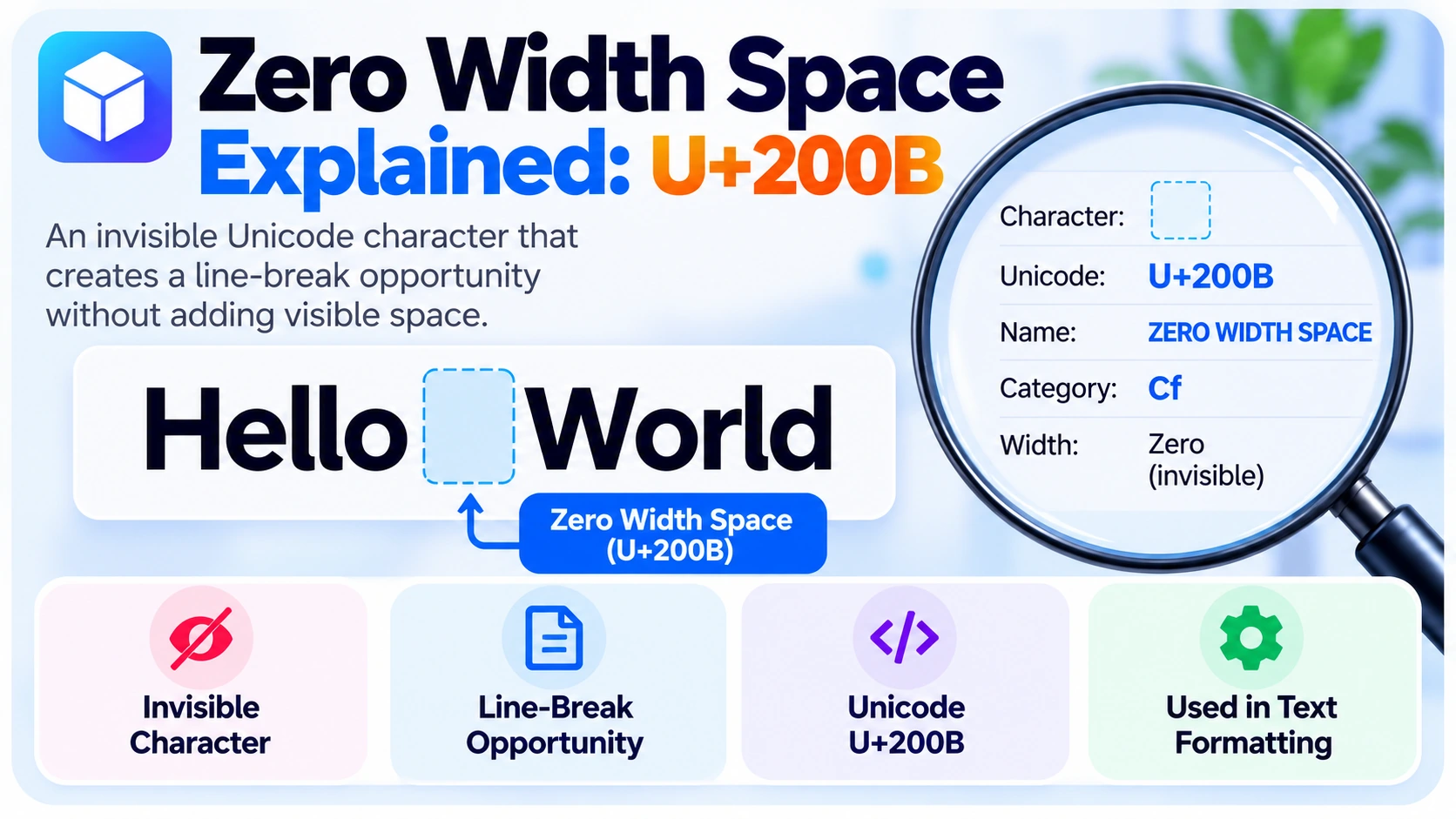
The official Unicode name is ZERO WIDTH SPACE. Its code point is U+200B, often abbreviated ZWSP. It belongs to the Unicode general category Cf (Other, Format). It normally has zero visual width and introduces a potential line-break position rather than a forced newline.
Consider HelloWorld versus the sequence Hello\u200BWorld. The latter contains U+200B between the words, even if both appear identical on screen. Exact string comparisons distinguish them.
| Property | Value |
|---|---|
| Unicode name | ZERO WIDTH SPACE |
| Code point | U+200B |
| Category | Cf — Other, Format |
| UTF-8 bytes | E2 80 8B |
| HTML numeric reference | ​ or ​ |
| JavaScript escape | \u200B |
| Python escape | \u200b |
| Typical width | Zero |
| Purpose | Possible line-break opportunity |
How Does Zero Width Space Work?
Zero Width vs. Regular Space
The keyboard space U+0020 creates visible separation between words and often allows a line break. Zero Width Space U+200B creates no visible gap but can still provide a break opportunity. Both count as characters when present in a string.
| Property | Regular Space U+0020 | Zero Width Space U+200B |
|---|---|---|
| Visible gap | Yes | No |
| Possible line break | Yes | Yes |
| Unicode category | Zs | Cf |
| Changes exact string | Yes | Yes |
U+200B and Line Breaking
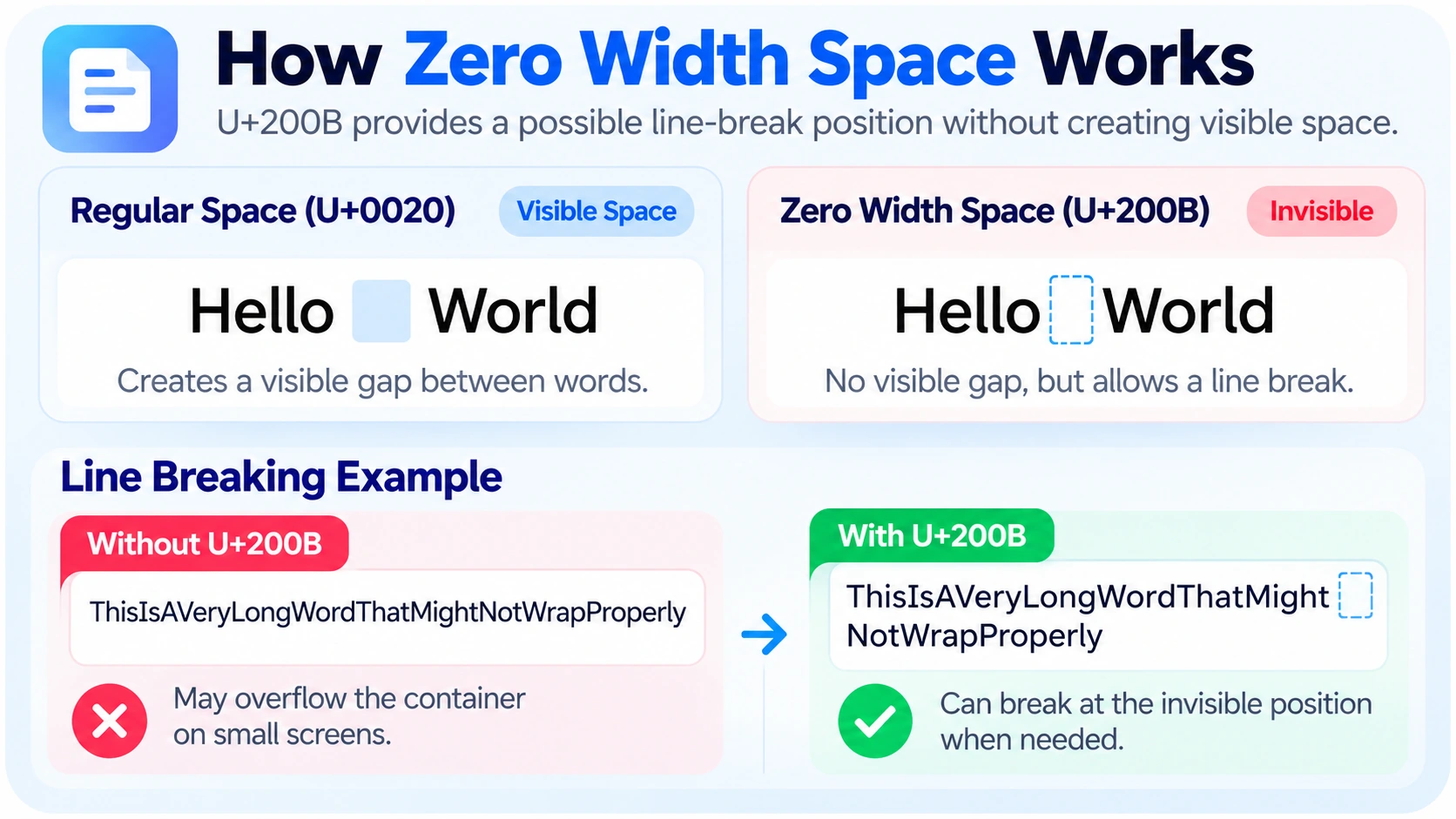
In a long string, U+200B can mark a location where a layout engine may wrap text if the available width is too small. It does not force a line break. The actual layout depends on the application, language, and line-breaking rules.
For example, LongProductName\u200BVersionTwo may wrap at the inserted character without displaying an ordinary space. However, adding U+200B also changes the stored string. That can matter when the value is copied or used as an identifier.
Does U+200B Count as a Character?
Yes. Hello\u200BWorld contains 11 Unicode code points: five letters, U+200B, and five more letters. A system may count positions differently when emoji are present because some APIs use UTF-16 code units rather than Unicode code points.
Common Uses of Zero Width Space
Text Wrapping
The primary use of U+200B is to offer a break opportunity where no visible space is desired. This can help in controlled typography and certain writing systems. Whether it is appropriate depends on language and layout conventions.
Long Strings and Technical Labels
A long label can overflow a narrow layout. Adding a possible break position can help visually, but it modifies the underlying data. If the string must be copied exactly, prefer a presentation-layer solution such as CSS overflow-wrap rather than inserting invisible characters.
URLs and Identifiers: Use Caution
A Zero Width Space inserted into an actual URL, product code, username, or database key changes the character sequence. Copying the altered value can cause broken links or failed exact matches. Do not insert U+200B into machine-readable identifiers merely to improve their appearance.
Unicode Text Processing
Unexpected U+200B characters may arrive through copy and paste, imports, or text transformations. Developers can inspect code points to decide whether the character is intentional or should be removed.
How to Copy and Paste a Zero Width Space
Open BlankyText and select the **Zero Width Space (U+200B)** character if it is offered in the character selector. Copy the specific code point rather than a different blank-looking character, and paste it into a Unicode-compatible text field. It may appear as though nothing was pasted.
To confirm it was copied, use a Unicode character detector. Remember that an application may strip, reject, or process U+200B differently. It is not a guaranteed way to create an invisible username or a blank message.
Zero Width Space vs. Other Invisible Unicode Characters
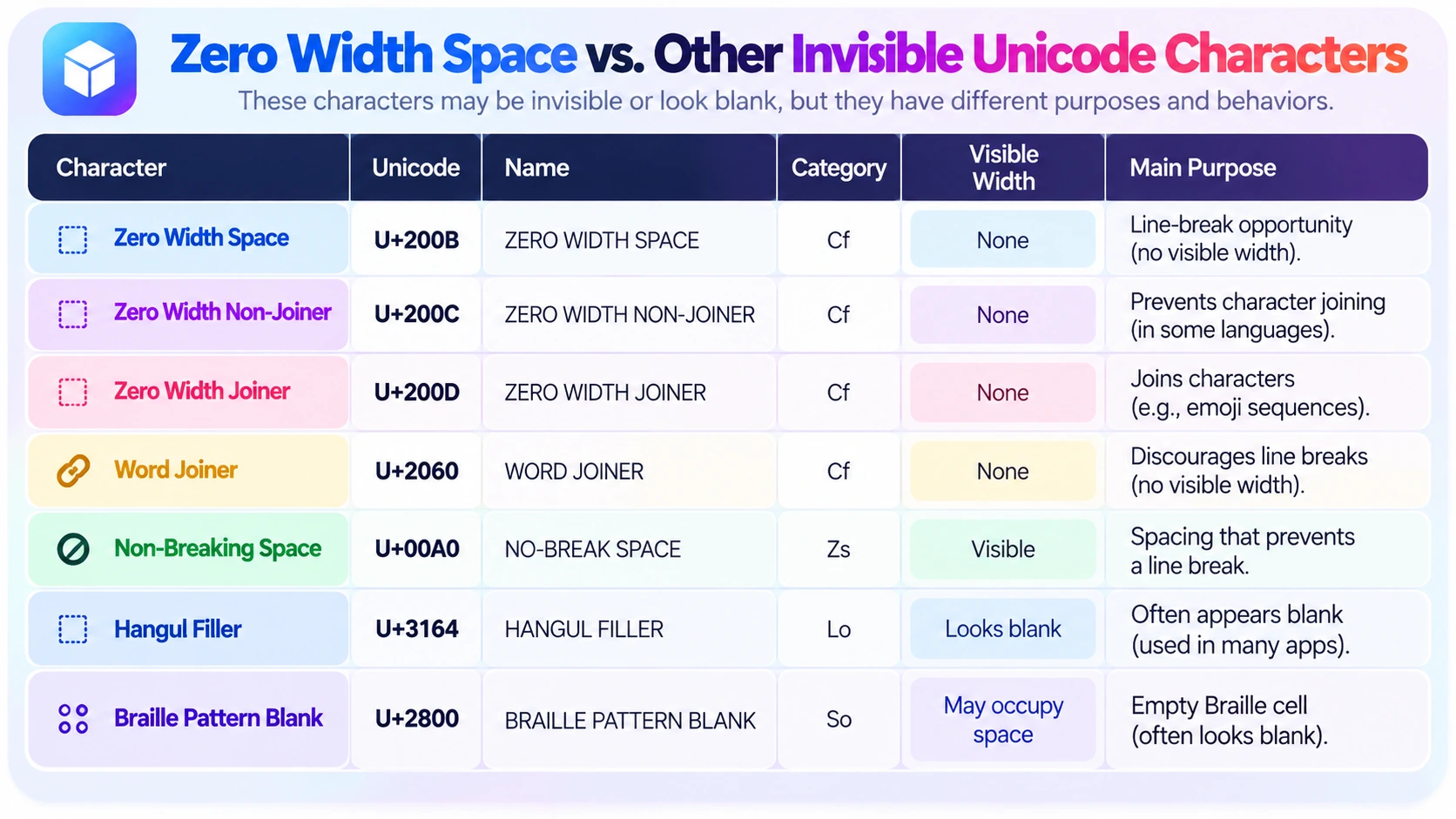
| Character | Code point | Main function |
|---|---|---|
| Zero Width Space | U+200B | Possible line break without visible width |
| Zero Width Non-Joiner | U+200C | Prevents certain joining behavior |
| Zero Width Joiner | U+200D | Affects joining and some emoji sequences |
| Word Joiner | U+2060 | Discourages a line break at its position |
| Non-Breaking Space | U+00A0 | Visible spacing without normal break |
| Hangul Filler | U+3164 | Blank-looking Hangul compatibility character |
| Braille Pattern Blank | U+2800 | Empty Braille cell, often blank-looking |
U+200B vs. U+200C and U+200D
Zero Width Non-Joiner and Zero Width Joiner affect character shaping and joining. They are important in certain languages, and U+200D also appears in many combined emoji sequences. They do not serve the same purpose as a Zero Width Space and should not be swapped casually.
U+200B vs. Word Joiner
Word Joiner (U+2060) normally discourages a line break. U+200B does the opposite: it provides a possible break opportunity. Both normally occupy no visible width.
U+200B vs. Non-Breaking Space
Non-Breaking Space (U+00A0) creates a visible gap while normally keeping the adjacent text together on a line. U+200B creates no visible gap and can allow a break. The two have different Unicode categories and uses.
U+200B vs. Hangul Filler and Braille Pattern Blank
Hangul Filler (U+3164) is a compatibility character classified as a letter. Braille Pattern Blank (U+2800) is a symbol representing an empty Braille cell. Both can look blank, but they are not the same as a zero-width format character and may occupy width.
How to Detect a Zero Width Space in Text
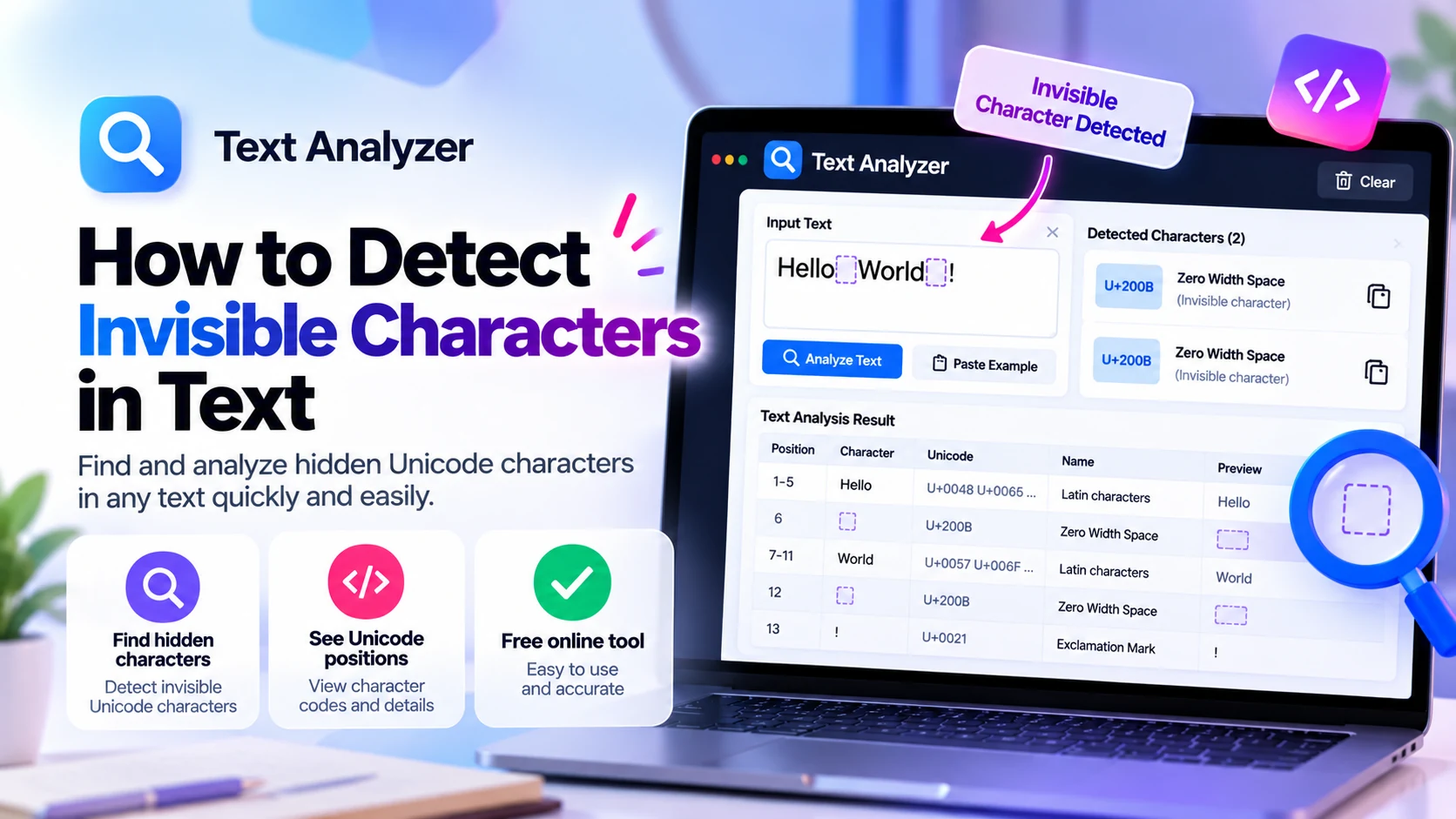
A character detector can reveal the code point even if the string looks ordinary. Copy the original text into the BlankyText Character Detector and look for U+200B. For a broader troubleshooting guide, read How to Detect Invisible Characters in Text.
Detect U+200B with Python
text = "Hello\u200BWorld"
for position, character in enumerate(text):
    if character == "\u200B":
        print("Zero Width Space at:", position)
The output is Zero Width Space at: 5. The position is zero-based.
To count occurrences, use text.count("\u200B"). To inspect the official character name, Python's unicodedata.name() returns ZERO WIDTH SPACE for this character.
Detect U+200B with JavaScript
const text = "Hello\u200BWorld";
console.log(text.includes("\u200B")); // true
console.log(text.indexOf("\u200B")); // 5
JavaScript indexOf() returns a UTF-16 code-unit offset. In this simple Latin-letter example, that offset matches the code-point position, but the numbers may differ when supplementary characters appear earlier in the string.
How to Remove Zero Width Spaces Safely
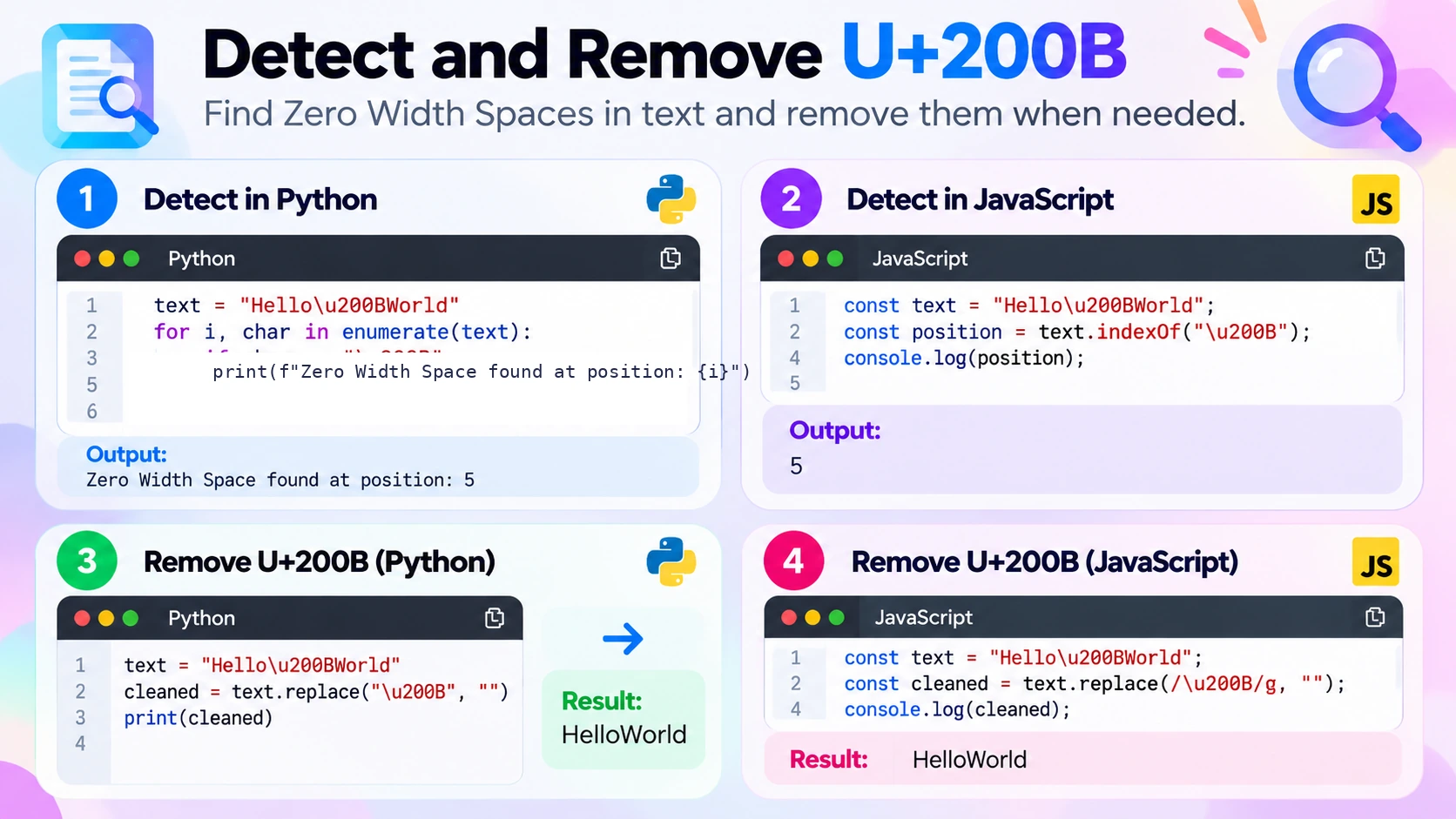
If U+200B is confirmed to be unwanted, remove it specifically:
text = "Hello\u200BWorld"
cleaned = text.replace("\u200B", "")
print(cleaned)  # HelloWorld
const text = "Hello\u200BWorld";
const cleaned = text.replace(/\u200B/g, "");
console.log(cleaned); // HelloWorldIf the intended text needs a visible gap, replace U+200B with an ordinary space instead of deleting it. Work on a copy before cleaning a document or dataset. Do not remove every invisible Unicode character automatically: doing so can break emoji sequences, affect language shaping, or change intentional formatting.
Does U+200B Work in Social Media Names?
Different applications have different validation rules. Some strip or reject invisible format characters in usernames, display names, messages, or bios. Zero Width Space is not guaranteed to work in any particular field, and it does not necessarily create a blank-looking area with measurable width. Avoid using invisible characters for impersonation or to bypass platform rules.
Frequently Asked Questions
What is U+200B?
It is the Unicode code point for ZERO WIDTH SPACE, an invisible format character that can provide a possible line-break opportunity.
Is a zero width space the same as a normal space?
No. A normal space creates visible separation; U+200B normally has no visual width. Both are part of a string when present.
Can U+200B force a line break?
No. It provides a possible break position; it does not act as a newline character.
How do I find U+200B in copied text?
Use a Unicode character detector or inspect the string programmatically for \u200B.
How do I remove Zero Width Spaces?
In Python, use text.replace("\u200B", ""). In JavaScript, use text.replace(/\u200B/g, "").
Can Zero Width Space break a URL?
Yes. If inserted into the URL text, it changes the underlying string and can cause copying or navigation problems.
Is U+200B harmful?
No, it is a legitimate Unicode character. Problems occur when it appears unexpectedly in data that requires exact matching.
Is U+200B the same as Zero Width Joiner?
No. U+200B offers a line-break opportunity; U+200D affects joining behavior, including certain emoji sequences.
Final Thoughts
**Zero Width Space (U+200B)** is a real Unicode character with no normal visible width. It can help text wrap, but it also changes the exact string and may cause confusion when inserted into identifiers or copied content. Identify it before changing it, and remove only unwanted instances. Explore characters using BlankyText or read our companion invisible-character detection guide.