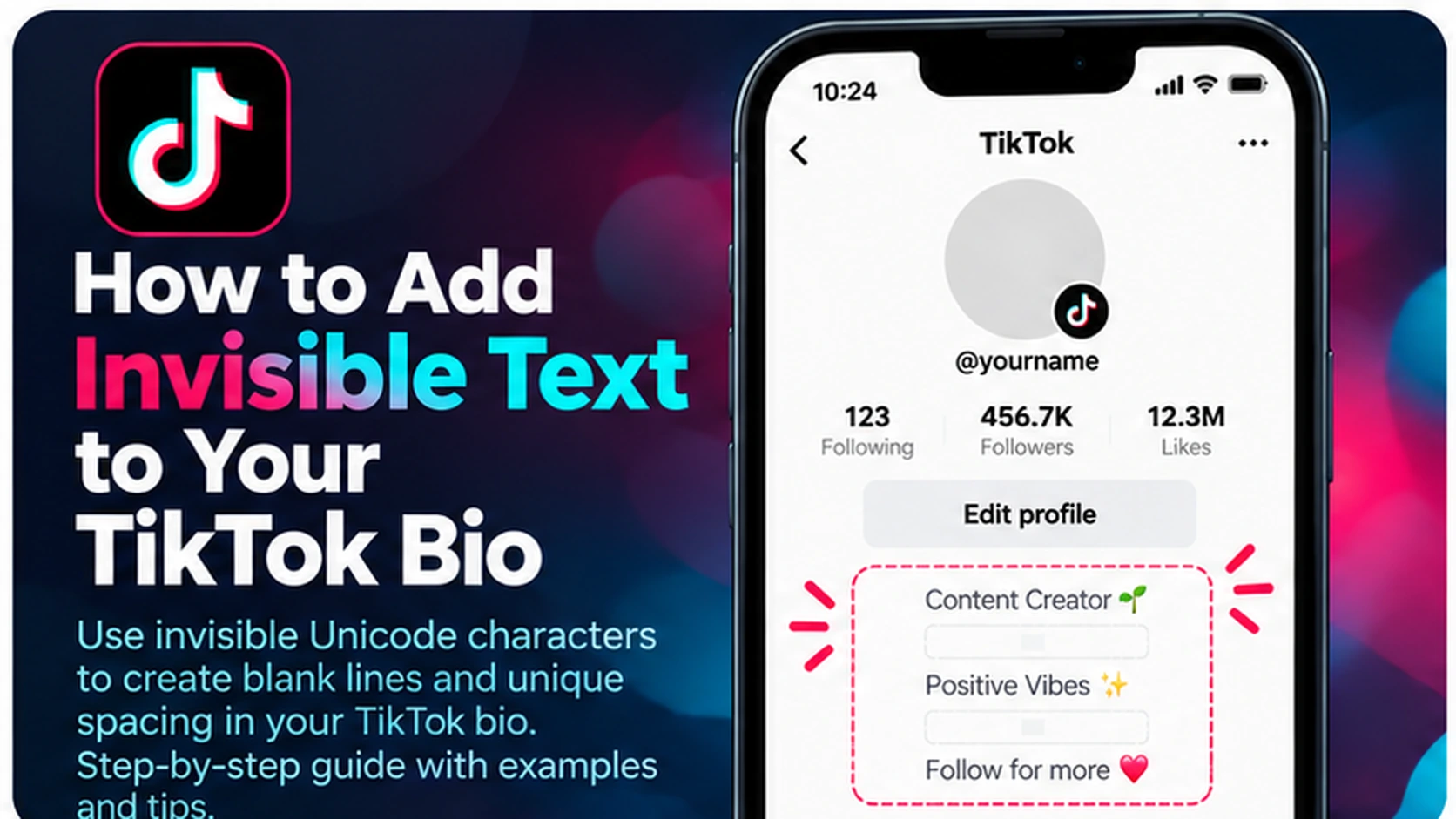
Want a cleaner-looking TikTok profile? Invisible text for a TikTok bio can help you experiment with spacing between words, short lines, and emojis. Instead of pressing the spacebar repeatedly, you can copy a Unicode character that looks empty and paste it into your bio. However, TikTok may remove some characters, collapse whitespace, or change how your bio looks after saving.
In this guide, you’ll learn what invisible Unicode text is, how to add it to a TikTok bio, which characters to try, and how to troubleshoot unexpected results. You can start with the free [BlankyText invisible text tool](/).
What Is Invisible Text in a TikTok Bio?
Invisible text is not the same as an empty field. It uses real Unicode characters that have little or no visible appearance. Some characters take up space; others have zero width. These differences matter when you are trying to format a short bio.
For example, you might want to separate a short tagline from an emoji or create a subtle gap between two words. An invisible character can sometimes produce that effect, but TikTok decides which characters are accepted and how they are displayed.
Note: This guide is about the bio field. If you want to experiment with a blank-looking profile name, see How to Make an Invisible TikTok Name. Invisible text does not make your profile private or anonymous.
How to Add Invisible Text to Your TikTok Bio: Four Steps
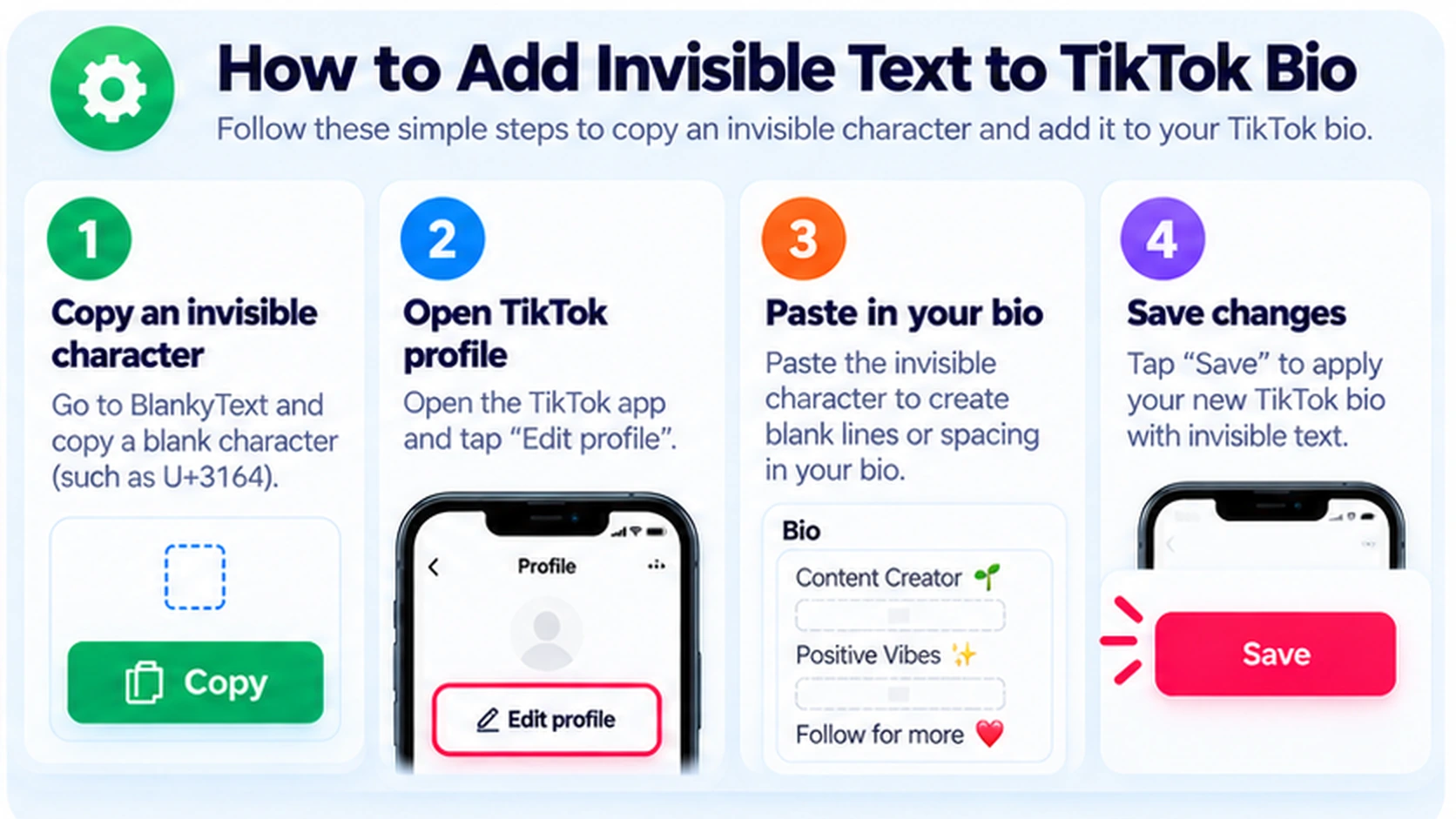
Step 1: Copy a Blank-Looking Character
Open [BlankyText](/) and copy a character such as Hangul Filler (U+3164) or Braille Pattern Blank (U+2800). Both can appear as spacing, but their visual width and appearance can vary by font.
Step 2: Open Your TikTok Profile
Open TikTok and go to Profile → Edit profile. Find the Bio field. If you cannot see it, check the app version or the options currently available for your account.
Step 3: Paste the Character into Your Bio
Place the cursor where you want extra separation, then paste the copied character. You can place it between short phrases or near emojis. Keep the text readable; adding many invisible characters may make the bio difficult to edit or understand.
Step 4: Save and Check the Result
Save the bio, return to your profile, and inspect it. If the spacing disappears, TikTok may have removed or normalized the character. Try a simpler layout or ordinary line breaks instead of assuming the Unicode character will work.
Quick summary: Copy from BlankyText → Edit profile → Bio → Paste → Save → Verify.
Which Invisible Unicode Characters Are Useful for TikTok Bios?
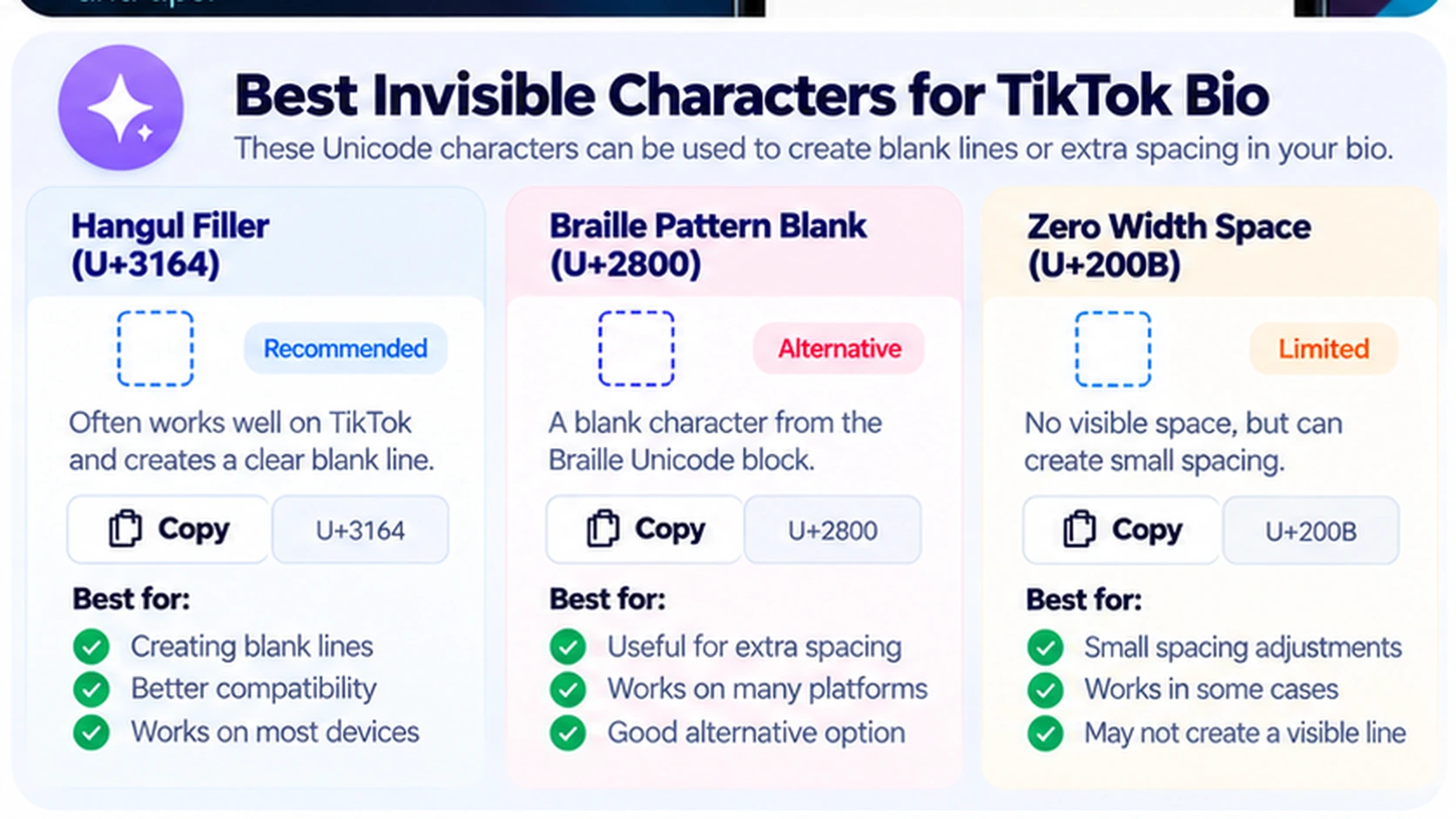
| Character | Code point | What it does | Limitation |
|---|---|---|---|
| Hangul Filler | U+3164 | Often appears as a blank-looking character | Can be rejected or displayed differently |
| Braille Pattern Blank | U+2800 | Represents an empty Braille cell | May create a noticeable gap |
| Zero Width Space | U+200B | Adds a possible line-break opportunity without visible width | Does not create a visible space and may be removed |
| Regular Space | U+0020 | Creates ordinary word spacing | Multiple spaces may be collapsed |
Hangul Filler (U+3164)
Hangul Filler is a character that can look empty in many fonts. It may be useful for testing a visible gap between short bio elements. It is not guaranteed to survive TikTok's text processing.
Braille Pattern Blank (U+2800)
Braille Pattern Blank is another blank-looking Unicode character. It has its own character width and may look different from an ordinary space. Check how it renders on your profile before keeping it.
Zero Width Space (U+200B)
A Zero Width Space has no visible width. It is useful in Unicode text processing as a possible break opportunity, not as a way to add a wide visual gap. Learn more in Zero Width Space Explained: U+200B and Its Uses.
TikTok Bio Layout Examples
You do not need a completely blank bio to create a minimalist style. Try short text, a small number of emojis, and deliberate spacing.
Example 1: Minimal Personal Bio
coffee · books · sunsets
Use a short line of readable text, then test a single blank-looking character before an emoji if you want extra separation. If TikTok removes the character, a normal space works better.
Example 2: Creator Bio
videos about design ✦ new posts weekly
Keep the topic and posting information visible. Avoid using invisible text to push important words off-screen or make the bio harder to read.
Example 3: Small Business Bio
handmade gifts | orders via link below
For business accounts, clarity matters more than unusual spacing. A simple separator such as | or · may be more dependable than an invisible character.
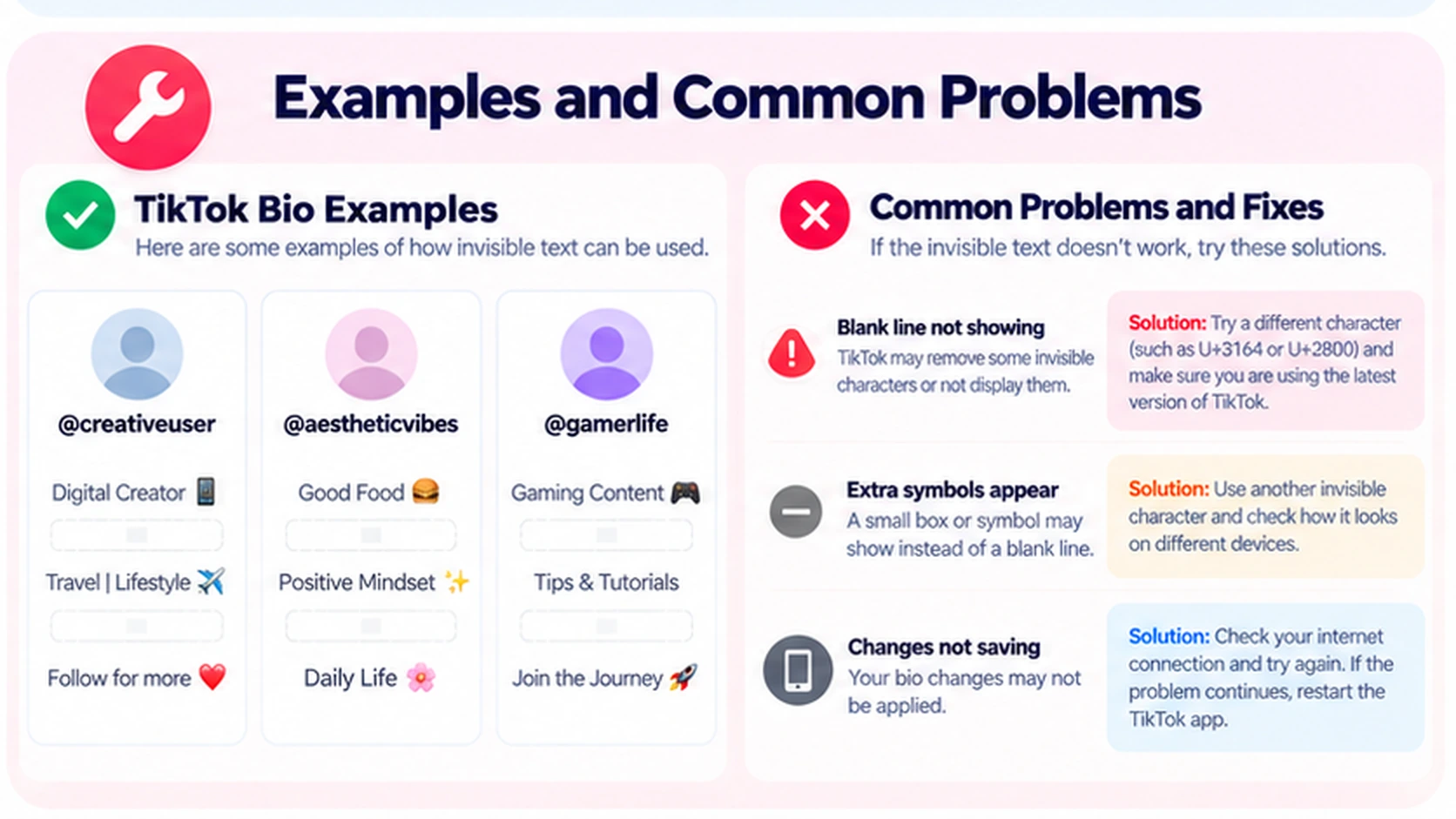
Why Isn't Invisible Text Working in My TikTok Bio?
The Spacing Disappears After Saving
TikTok may normalize or remove the character. Test a different permitted character or use standard punctuation and line breaks. There is no guaranteed workaround.
A Small Box Appears Instead of a Blank
Your device or font may display an unsupported-character placeholder. Try a simpler format and check the saved profile rather than relying on the editor preview.
The Bio Looks Different on Another Phone
Unicode rendering can vary across Android, iPhone, fonts, and TikTok versions. Avoid depending on exact spacing to communicate important information.
I Can't Add More Text
Your bio may have reached TikTok's current character limit. Invisible characters can count toward limits even if you cannot see them. Remove unnecessary characters and keep the message concise.
Blank Lines Do Not Stay Blank
Some apps collapse repeated line breaks or trim whitespace. Use one clear line break if TikTok allows it, or separate phrases with readable symbols.
Invisible Text vs. Ordinary Spaces: Which Should You Use?
Use ordinary spaces for normal word separation. Use line breaks or punctuation when you want an obvious structure. Experiment with invisible Unicode only when you need a subtle effect and can verify the result.
For accessibility, a readable bio is usually preferable to one filled with nonprinting characters. Excessive invisible text can make copying, editing, and screen-reader output less predictable.
Frequently Asked Questions
Can I copy invisible text into a TikTok bio on iPhone?
Yes. You can copy Unicode characters in a browser and paste them into editable fields on iPhone. TikTok may still remove or reject them.
Does invisible TikTok bio text work on Android?
Android supports Unicode copy and paste. The saved result depends on TikTok's validation and text rendering.
What is the best invisible character for a TikTok bio?
There is no universally best choice. Hangul Filler (U+3164) and Braille Pattern Blank (U+2800) can look blank, while Zero Width Space (U+200B) has no visible width.
Can invisible text create an empty line in my bio?
Sometimes a blank-looking character can help preserve a line, but TikTok may trim or collapse it. Test the saved profile and use standard line breaks where possible.
Why does Zero Width Space not create a gap?
Because U+200B is zero-width. It marks a potential line-break opportunity rather than adding the width of a normal space.
Will invisible text hide my TikTok account?
No. It only affects the appearance of text where supported. Your username and other profile information remain visible.
Does invisible text count toward TikTok's bio limit?
It can. Invisible Unicode characters are still characters, even if they are not visible. The app determines its current limits and validation behavior.
Where can I copy invisible text safely?
Use the free [BlankyText tool](/) to copy characters. If you need to inspect pasted text, see our guide to detecting invisible characters.
Final Thoughts
Invisible text can be a small formatting experiment for your TikTok bio, but it is not a guaranteed way to add spaces or blank lines. Start with a short readable bio, copy a character from [BlankyText](/), and check the result after saving. If the app removes it, ordinary spacing and clear separators are the most reliable choice.
For related ideas, explore How to Make an Invisible TikTok Name and How to Add Invisible Spaces to Your Instagram Bio.