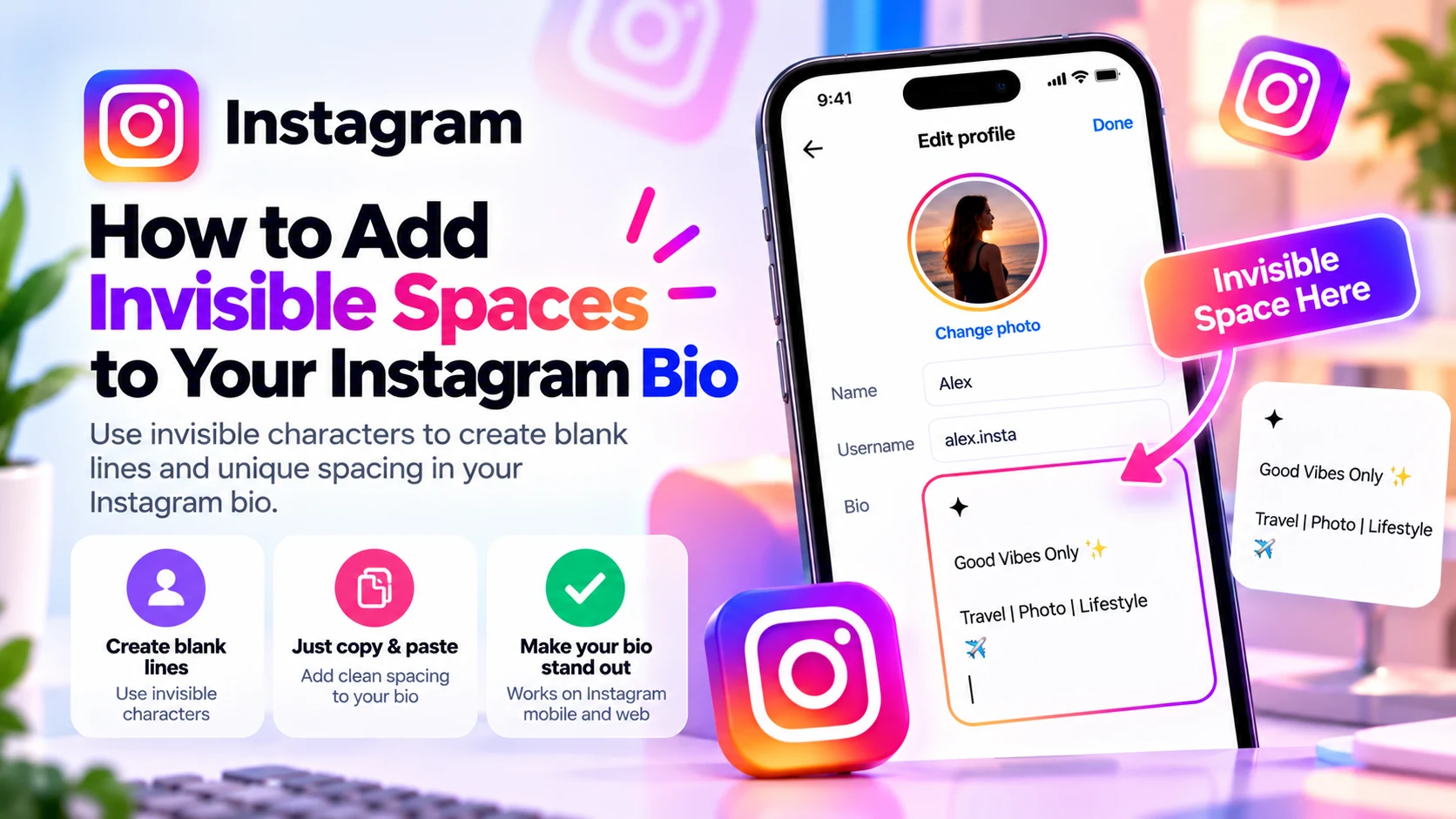
Want a cleaner, easier-to-read Instagram profile? An invisible space for Instagram bio formatting can help you experiment with blank-looking lines and separate sections of your introduction. You do not need a special keyboard or a new app: you can copy a Unicode character and paste it into your bio.
Quick method: Copy a blank-looking character using the [BlankyText invisible character tool](/), open Instagram, choose Edit Profile, and paste the character into your Bio field. Save and check your profile. If ordinary line breaks already work, use those instead—they are usually simpler and more accessible.
This guide explains what invisible spaces actually are, how to format a bio on iPhone or Android, which characters to test, and why Instagram sometimes changes your spacing. Results are not guaranteed: Instagram can remove or render characters differently depending on its current validation rules, device, and app version.
What Is an Invisible Space for Instagram Bio?
An invisible Unicode character is still a character even when it looks blank. That makes it different from an empty string or a blank line containing nothing at all. Some characters occupy visual space; others have no visible width. Applications can treat them differently from the ordinary space produced by your keyboard.
The regular keyboard space is U+0020. Hangul Filler (U+3164) is a blank-looking character from the Hangul Compatibility Jamo block. Braille Pattern Blank (U+2800) represents an empty Braille cell. Zero Width Space (U+200B) is a formatting character that normally has no visible width and can indicate a possible line-break opportunity.
Instagram may trim, normalize, or reject any of these in particular text fields. An invisible character is not a guaranteed way to preserve an empty line. It is an option to test when straightforward formatting does not produce the appearance you want.
How to Add Invisible Spaces to Your Instagram Bio
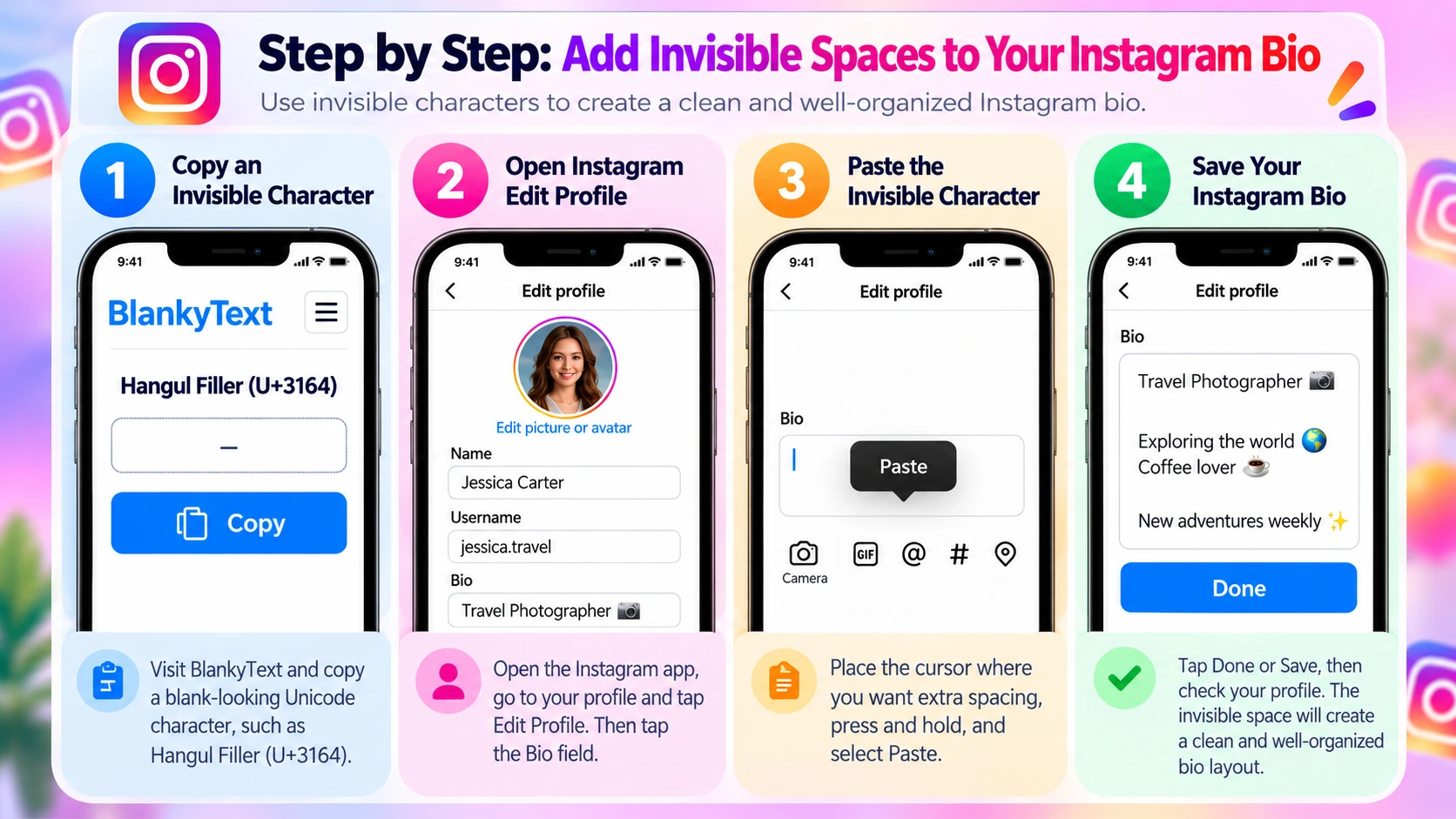
The basic steps are similar on iPhone and Android, although buttons and menus may move after Instagram updates.
Step 1: Copy an Invisible Character
Open [BlankyText](/) in your browser and copy Hangul Filler (U+3164) or another blank-looking character. The copied text may look like nothing at all. This is expected: it is a real Unicode character, not a visible word. Avoid substituting repeated presses of the ordinary spacebar, which Instagram may treat as empty whitespace.
Step 2: Open Instagram's Bio Editor
Open Instagram, go to your profile, tap Edit Profile, and select Bio. If you already have a carefully written bio, copy it to a notes app first so you can restore it if the experiment does not look right.
Step 3: Paste the Character Where You Want Spacing
Move the cursor to the desired position. To create a blank-looking line, try pressing Return to start a new line and pasting the character on that line. You can also test a character between two short pieces of text. Do not paste a long sequence: extra characters may count toward your bio limit or create odd spacing.
Step 4: Save and Check the Result
Tap Done or Save, return to your profile, and inspect the final bio—not just the editor preview. Check that the spacing survived, that the character did not appear as a square, and that your text remains readable. If Instagram removes the character, try U+2800 once or use normal line breaks instead.
How to Create Line Breaks in Your Instagram Bio
A line break moves text to the next line; an invisible character is a character with no readable shape. They are different tools, and most bios do not need special Unicode formatting.
Use the Return or Enter Key First
For a simple multi-line bio, type your first line, press Return or Enter, and type the next. For example, three short lines can present your role, interests, and contact prompt more clearly than a single long sentence. Ordinary line breaks are easier to edit and usually preferable to decorative invisible characters.
Draft the Bio in a Notes App
If editing in Instagram feels awkward, prepare the text in your phone's notes app. Put each idea on a separate line, then copy the full bio into Instagram. After saving, verify the result: Instagram can display line wrapping differently from the editor.
Test an Invisible Character on an Otherwise Empty Line
If you want a blank-looking separator between two sections, try inserting a line break, pasting a single invisible character, and then inserting another line break. This may help when a completely empty line is removed, but Instagram may also strip the character. If that happens, a compact bio with a single normal line break is a better fallback.
Best Unicode Characters for Instagram Bio Spacing
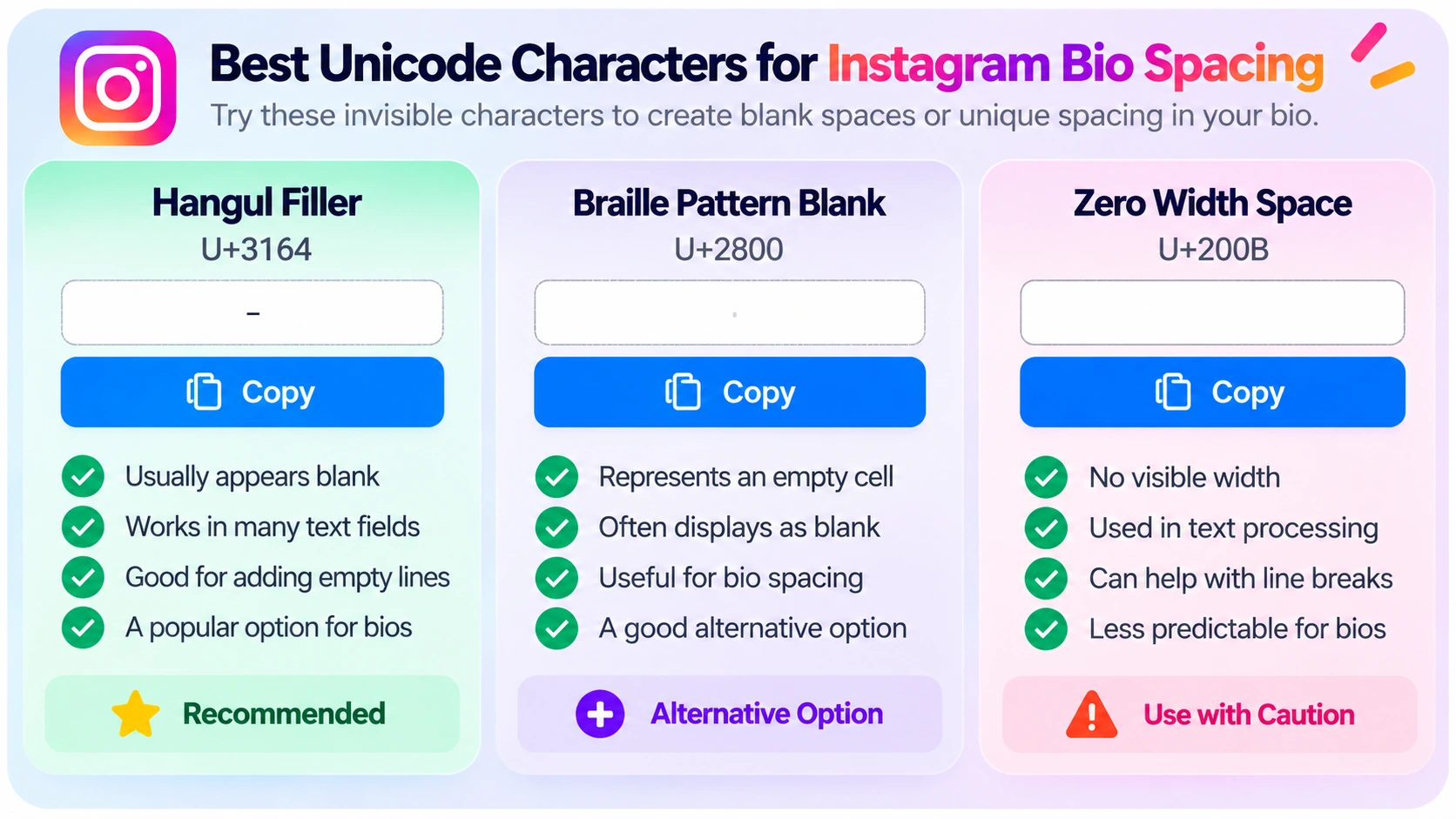
Hangul Filler (U+3164)
Hangul Filler often renders as an empty area, but it is not the ordinary keyboard space. It is a reasonable first option when experimenting with a blank-looking line in an Instagram bio. The app may still remove it, and the result can vary by device or font.
Braille Pattern Blank (U+2800)
Braille Pattern Blank represents an empty Braille cell and often looks blank. It is a useful alternative to test if U+3164 is rejected. It is a distinct Unicode character with different properties; neither one is officially guaranteed to work in Instagram.
Zero Width Space (U+200B)
Zero Width Space normally has no visible width. It is useful in some text-processing contexts but is not a substitute for a visibly wide blank space. Applications may strip or normalize it. For a blank-looking bio separator, U+3164 or U+2800 is a more intuitive starting point to test.
What About Regular Spaces (U+0020)?
Regular spaces work between words. But repeated spaces are not a reliable way to align a bio: apps may collapse or trim them, and different screen widths will shift the layout. If you want clearer sections, prefer short lines and intentional line breaks.
Instagram Bio Spacing Examples
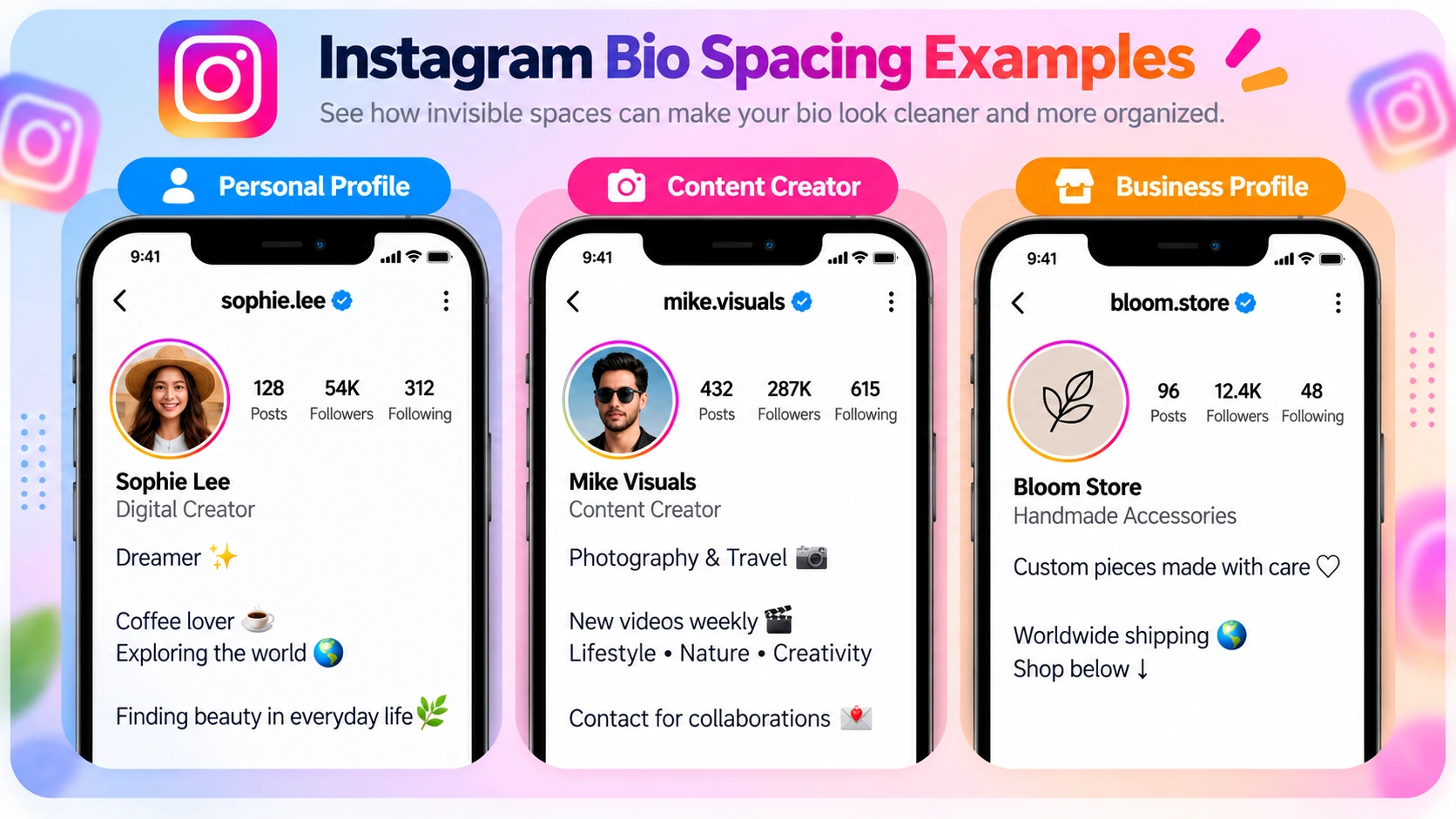
These examples show the intended appearance, not a guarantee that a particular invisible character will preserve every blank line. Use ordinary line breaks where possible and test a blank-looking character only when needed.
Minimal Personal Bio
Before: Dreamer ✨ Coffee lover ☕ Exploring the world 🌍
After:
Dreamer ✨
Coffee lover ☕
Exploring the world 🌍
Separate interests into short lines so visitors can scan them quickly. An additional empty-looking separator is optional, not essential.
Content Creator Bio
Before: Content Creator | Lifestyle & Travel | New videos weekly | Contact below
After:
Content Creator 🎥
Lifestyle • Travel • Creativity
New videos weekly ✨
Contact below ↓
This arrangement puts the creator's focus first and makes the call to action easy to find. Try one blank-looking separator only if it improves readability.
Small Business Bio
Before: Handmade Accessories | Worldwide Shipping | Custom Orders | Shop Below
After:
Handmade Accessories ✨
Custom pieces made with care
Worldwide shipping 🌍
Shop below ↓
For businesses, descriptive labels and clear actions usually matter more than invisible styling. Keep your product or service immediately understandable.
Photographer or Artist Bio
Before: Photographer | Portraits | Nature | Travel | Available for bookings
After:
Photographer 📸
Portraits • Nature • Travel
Available for bookings ✉️
A short separation between interests and booking information can help readers find the next step.
Why Are My Instagram Bio Spaces Disappearing?
Instagram Removes the Blank Line
The app may trim whitespace or remove unsupported characters. Start with normal Return-key line breaks. If an empty line disappears, try one blank-looking Unicode character. If Instagram also removes it, the current field may not support the workaround.
The Bio Looks Different After Saving
Instagram's profile display may wrap text differently from the editing screen. Save, return to your profile, and check the actual appearance. Avoid aligning text with long strings of spaces.
A Square or Box Appears
A font or rendering system may display the character differently. Remove it and test another character, or return to standard line breaks. The same bio may not look identical on every device.
Text Wraps Unexpectedly on Smaller Phones
Screen width and font size affect wrapping. Shorten long lines, keep your most important words near the beginning, and avoid manually centering text with spaces.
The Bio Reaches the Character Limit
Invisible characters still form part of your text and may count toward the field's limit. Instagram bios commonly allow up to 150 characters, but platform limits can change. Remove unnecessary invisible characters if your edits cannot be saved.
Copy and Paste Does Not Work
Return to BlankyText and copy the character again. Tap inside the Bio field before using your device's Paste or clipboard command. If the clipboard is empty, recopy the character. You do not need to install an unfamiliar keyboard or extension.
Tips for a Clean, Readable Instagram Bio
- Lead with meaning. Explain who you are, what you create, or what your business offers before adding decorative spacing.
- Use a few short lines. Group related information together rather than placing every word on a separate line.
- Keep calls to action clear. Make contact, booking, or shop information easy to find.
- Avoid excessive blank lines. Too much empty space pushes useful information farther down the screen.
- Do not rely on invisible text for alignment. Character widths and line wrapping can differ across phones.
- Consider accessibility. Screen readers and text-processing tools may handle unusual Unicode characters unpredictably. Ordinary line breaks are usually more robust.
- Check the saved profile. What you see in a notes app or editor is not necessarily what visitors see.
Frequently Asked Questions
How do I copy an invisible space for my Instagram bio?
Open the [BlankyText invisible character tool](/), copy a blank-looking Unicode character, then paste it into the Bio field under Instagram's Edit Profile screen. Save and inspect the result.
Why won't Instagram keep blank lines in my bio?
Instagram may normalize or remove certain whitespace and formatting characters. Try standard line breaks first. A blank-looking Unicode character is an optional workaround to test, not a guaranteed fix.
Can I use invisible spaces on iPhone and Android?
You can copy and paste Unicode characters on both platforms. Whether the saved bio retains them depends on Instagram's current rules and how the device renders the text.
Which character is best for Instagram bio spacing?
Hangul Filler (U+3164) is a reasonable first character to test; Braille Pattern Blank (U+2800) is an alternative. Zero Width Space (U+200B) does not create visible horizontal width and may be removed.
Do invisible characters count toward the bio limit?
They are real text characters, even when they appear blank. They may count toward the character limit, so use as few as necessary.
Can I center my Instagram bio using invisible spaces?
It is possible to experiment, but manual alignment is unreliable because fonts, devices, and screen widths differ. Short, readable lines are a better choice.
Are invisible spaces and line breaks the same thing?
No. A line break moves text to the next line; an invisible Unicode character is a character that appears blank or has no visual width. They can be used together, but they do different things.
Final Thoughts
An invisible space for Instagram bio formatting can be a useful experiment when you want a blank-looking separator or a cleaner profile. But most bios benefit more from concise writing and ordinary line breaks than from extra Unicode characters.
Start with your keyboard's Return key. If you need to test a blank-looking character, try Hangul Filler (U+3164) or Braille Pattern Blank (U+2800), save, and check the result. Instagram may reject or display these characters differently, so keep a simple fallback layout ready.
You can [copy an invisible character with BlankyText](/) without installing anything. For other Instagram customization ideas, see our guides to blank Instagram Highlight names and blank-looking Instagram DMs.