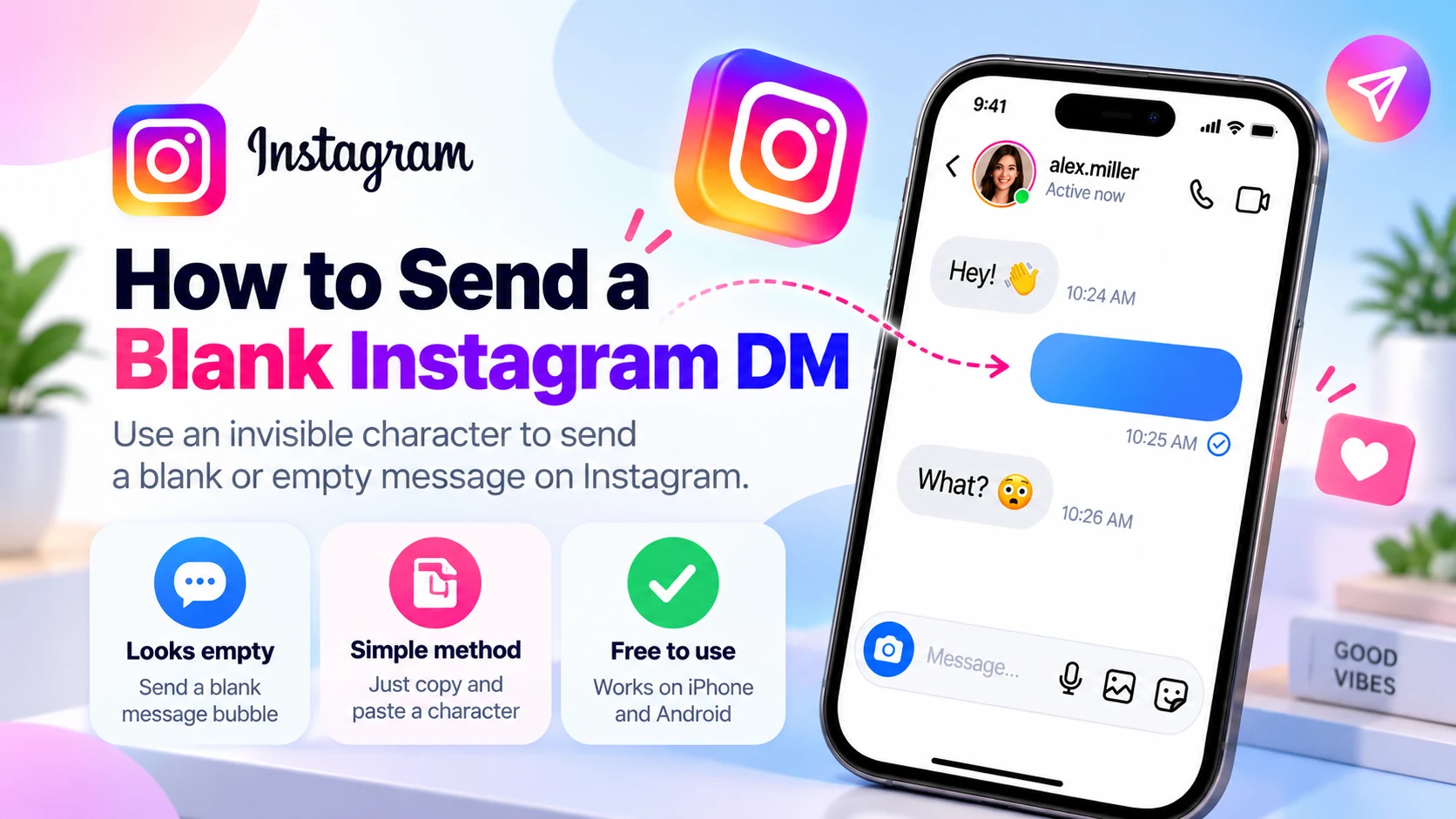
Want to send a blank Instagram DM that looks completely empty? You can try using an invisible Unicode character instead of typing an ordinary space. These characters are real text, even when they appear blank on screen.
Instagram Direct Messages generally requires some content before you can send a text message. An ordinary space may be trimmed or treated as empty input. A blank-looking Unicode character may be processed differently, allowing a message bubble to appear without readable text. This is not guaranteed: Instagram may reject, remove, or display the character differently depending on its current rules and your device.
Quick method: Copy a character using the [BlankyText invisible text tool](/), open an Instagram DM, paste it into the message field, and tap Send if the button becomes available. Below are the exact steps, the characters worth trying, and solutions for common problems.
Can You Send a Blank Message on Instagram?
A truly empty message contains no characters. A blank-looking message contains a Unicode character that is visually empty or nearly invisible. The difference matters: Instagram can reject a completely empty text field, while a character that looks blank may still count as content.
For example, the familiar spacebar produces U+0020. By contrast, Hangul Filler (U+3164) is a distinct Unicode character that frequently renders as blank space. Braille Pattern Blank (U+2800) is another distinct character that can look empty. Apps are free to validate these differently, so neither is a guaranteed workaround.
If Instagram accepts the pasted character, you may see a blank message bubble. The recipient's display could differ because fonts, devices, and app versions handle characters in different ways. This technique does not create a truly character-free message.
How to Send a Blank Instagram DM (Step-by-Step)
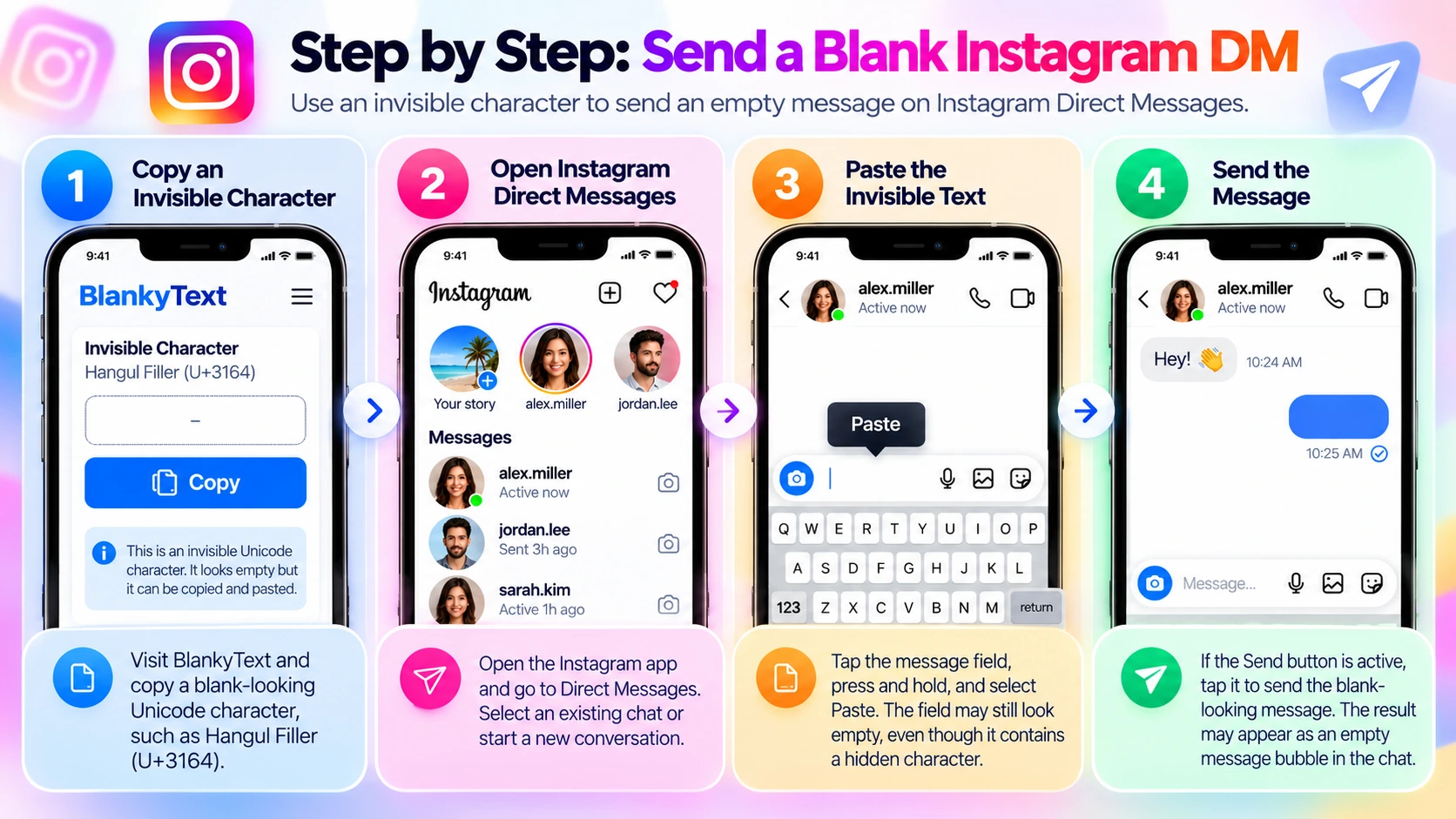
The general method is similar on iPhone and Android, although the location and appearance of controls can change with Instagram updates.
Step 1: Copy an Invisible Character
Open [BlankyText](/) in your browser and choose a blank-looking Unicode character, such as Hangul Filler (U+3164). Tap its copy button to place the character on your clipboard. You may not see anything after copying; that is expected. Avoid pressing the spacebar as a substitute, because U+0020 can be handled differently.
Step 2: Open Instagram Direct Messages
Open Instagram, go to your Direct Messages inbox, and select a conversation where a test message is welcome. You can use an existing chat or start a new conversation. Tap the message input field at the bottom of the chat.
Step 3: Paste the Invisible Text
Press and hold inside the message field and select Paste, or use your keyboard's clipboard feature. The field may still look empty even if a character was inserted. If the Send button does not activate, Instagram may have rejected the character. Copy it again before testing an alternative.
Step 4: Send the Blank-Looking Message
If the Send button becomes available, tap it once and inspect the result. The chat may show a bubble with no readable text, a narrow bubble, or another rendering. If the button stays inactive, do not assume the technique is supported. Start with a single character rather than pasting a long string of invisible symbols.
Best Invisible Unicode Characters for Instagram Messages
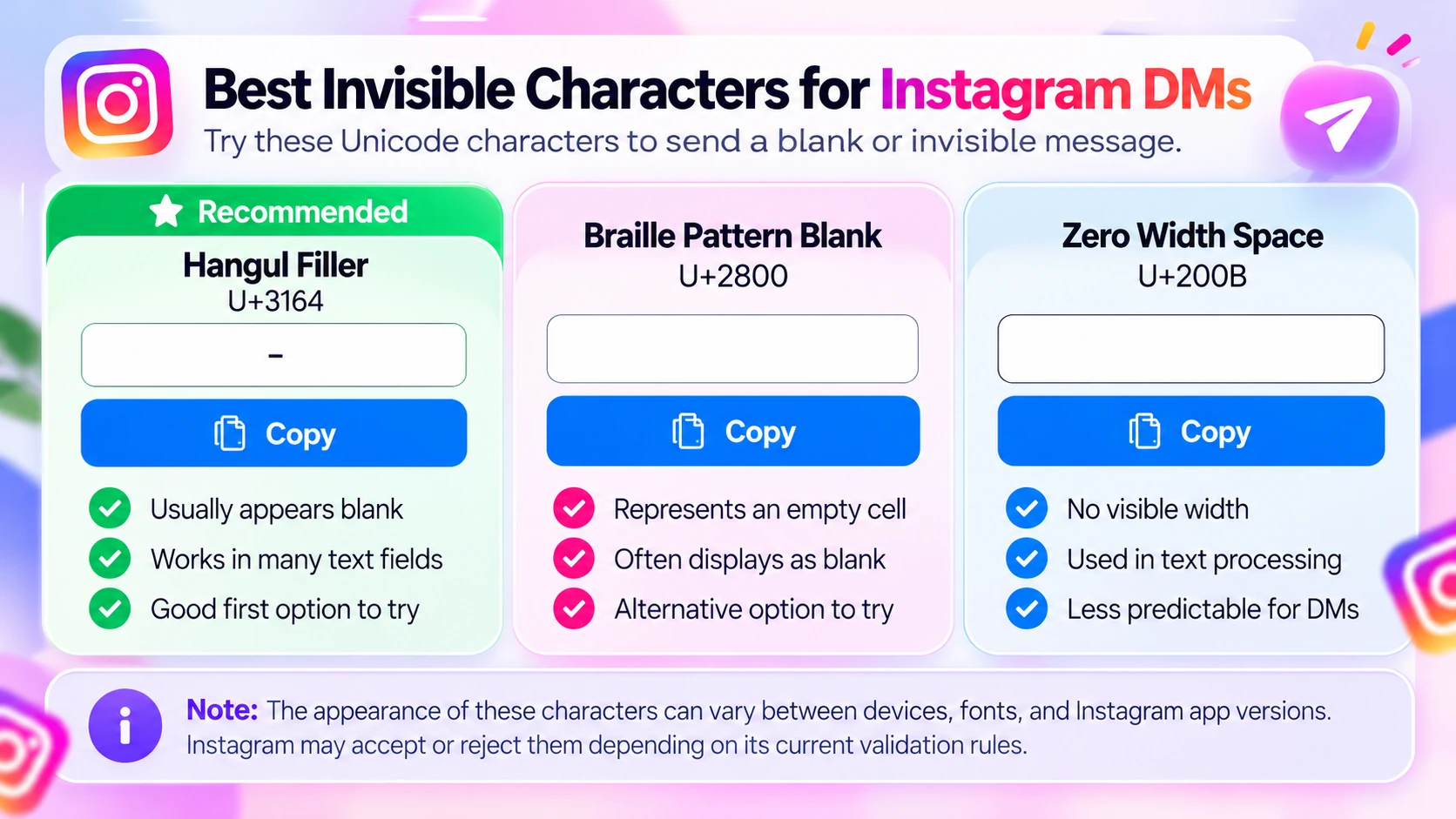
Different invisible characters have different Unicode properties, which can influence how an app validates or renders them.
Hangul Filler (U+3164)
Hangul Filler belongs to the Hangul Compatibility Jamo block. It often looks like an empty space but is not the ordinary spacebar character. It is a reasonable first option to test because it may be treated as content in some text fields. Instagram support is not assured, and behavior can change.
Braille Pattern Blank (U+2800)
Braille Pattern Blank represents a Braille cell without raised dots. It often renders as an empty area. Because it differs from Hangul Filler, it is worth testing once if the first character is rejected. Appearance may vary between fonts and devices.
Zero Width Space (U+200B)
Zero Width Space is a formatting character that normally has no visual width and can mark a line-break opportunity. Some applications strip or normalize zero-width characters. It is therefore less predictable for blank Instagram DMs than the two blank-looking alternatives above.
Why Not Use the Spacebar?
The regular space U+0020 can be removed from the beginning or end of text or treated as empty input. Typing many spaces does not necessarily create a sendable message. Invisible Unicode characters are different, but Instagram can still reject them under its own validation rules.
Why Can't I Send a Blank Instagram DM?
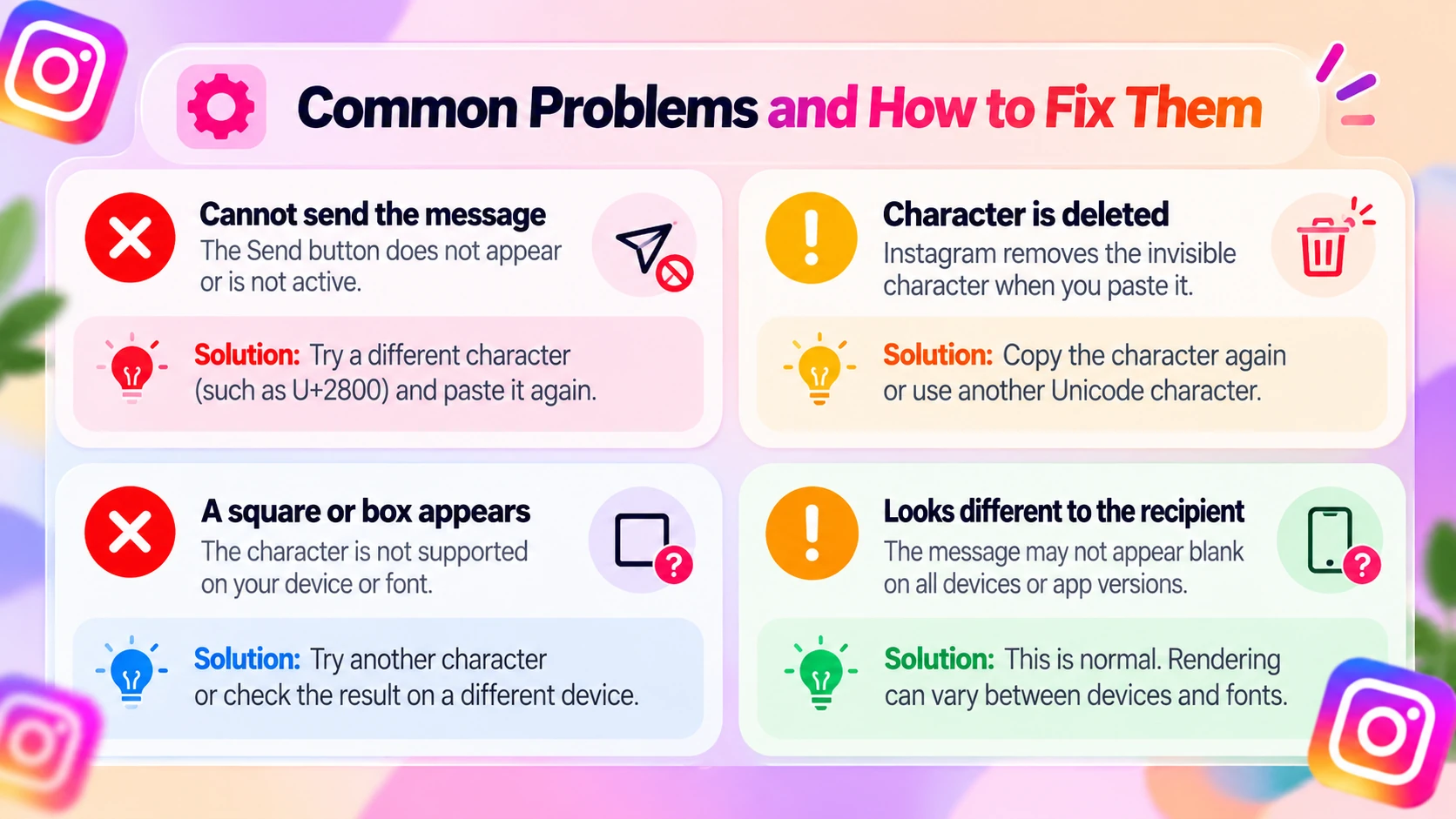
The Send Button Does Not Appear
Instagram may not recognize the pasted character as valid message content. Copy U+3164 again, paste it into the focused message field, and check the button. If it remains inactive, try U+2800 once. If both fail, the current app may not accept this method.
Instagram Deletes the Invisible Character
The app may filter or normalize the character immediately after pasting. Try the alternative blank-looking character. Do not install unfamiliar third-party tools that promise to bypass Instagram's restrictions.
A Square or Box Appears Instead of Blank Text
A box or replacement symbol can indicate that the font or text renderer is not displaying the character as intended. Try another character, or compare the result on a second device. A symbol that looks blank on your phone might look different to the recipient.
The Recipient Sees Something Different
Different operating systems, fonts, and Instagram clients may render the same Unicode code point differently. If you're testing with a friend, ask what appears on their screen. Do not rely on an invisible character when exact presentation matters.
The Paste Option Is Missing
Your clipboard may be empty, or the message field may not be selected. Return to BlankyText, copy the character again, focus the Instagram input field, and use the paste control or keyboard clipboard menu.
It Works in Another App but Not Instagram
WhatsApp, notes apps, and Instagram each validate text in their own ways. A character being accepted in one app does not guarantee that it will work in another. If Instagram rejects the character, a normal message is the reliable alternative.
Is Sending Invisible Text on Instagram Safe?
Invisible Unicode characters are ordinary text data, not executable programs. Copying one does not inherently grant access to your Instagram account. Still, a blank-looking message has several important limitations.
Invisible Text Is Not Encryption
The character remains part of the message data even if it cannot be seen. It can potentially be copied, inspected, or identified. It does not add privacy or security to Instagram's messaging features.
It Does Not Hide Your Identity
Your account remains associated with the conversation. Sending a blank-looking bubble does not make the sender anonymous.
Respect Other People's Chats
A blank message can be a harmless experiment with a friend, but repeated unwanted messages can be annoying. Test the method only in an appropriate conversation, and do not use it to spam others.
Avoid Tools That Ask for Your Instagram Password
You only need to copy a Unicode character. You do not need a special keyboard, browser extension, or a third-party login. Never enter Instagram credentials into a website claiming to generate invisible DMs.
Blank Instagram DM vs. Blank WhatsApp Message
Both apps can display Unicode text, but they apply their own rules to message input. In both, a truly empty text message generally cannot be sent. A blank-looking Unicode character may be accepted, but neither platform guarantees it, and the rendering may differ across devices.
A character that works in WhatsApp does not prove it will work in Instagram. If your goal is an Instagram DM, test the character there instead of relying on screenshots or tutorials from other apps.
Frequently Asked Questions
Can I send a completely empty Instagram DM?
A completely empty message contains no characters, and Instagram generally requires valid content. A blank-looking Unicode character may allow a visually empty message, but it can also be rejected.
How do I copy a blank message for Instagram?
Use [BlankyText](/) to copy a blank-looking Unicode character, then paste it into an Instagram DM. Send it only if Instagram accepts the character and enables the Send button.
Does it work on iPhone and Android?
You can try it on either platform. Success depends on Instagram's validation and the app version; appearance can also vary by device and font.
Will the recipient see an empty message bubble?
Possibly, if the message is accepted. The recipient may see an empty-looking bubble or a different rendering of the character.
Can I send a blank DM using only spaces?
Regular spaces may be trimmed or treated as empty input. Blank-looking Unicode characters differ from ordinary spaces, but they are not guaranteed to work either.
Which invisible character should I try first?
Hangul Filler (U+3164) is a reasonable first test, followed by Braille Pattern Blank (U+2800). Neither is officially guaranteed to work in Instagram DMs.
Is an invisible Instagram message really invisible?
It may look empty, but the Unicode character remains in the message. It is not encryption and does not hide the sender's identity.
Why did a blank message stop working?
Instagram can update its text handling and validation. A character that worked previously may later be rejected, removed, or rendered differently.
Final Thoughts
A blank Instagram DM is a message that contains an invisible or blank-looking Unicode character, not a message with zero characters. To try it, copy a character from [BlankyText](/), paste it into Instagram Direct Messages, and send it if Instagram accepts the input.
Start with Hangul Filler (U+3164), and try Braille Pattern Blank (U+2800) if necessary. The result is not guaranteed, and it may look different on another device.
For another Instagram customization idea, read our guide to making a blank Instagram Highlight name.